Managing Jobs#
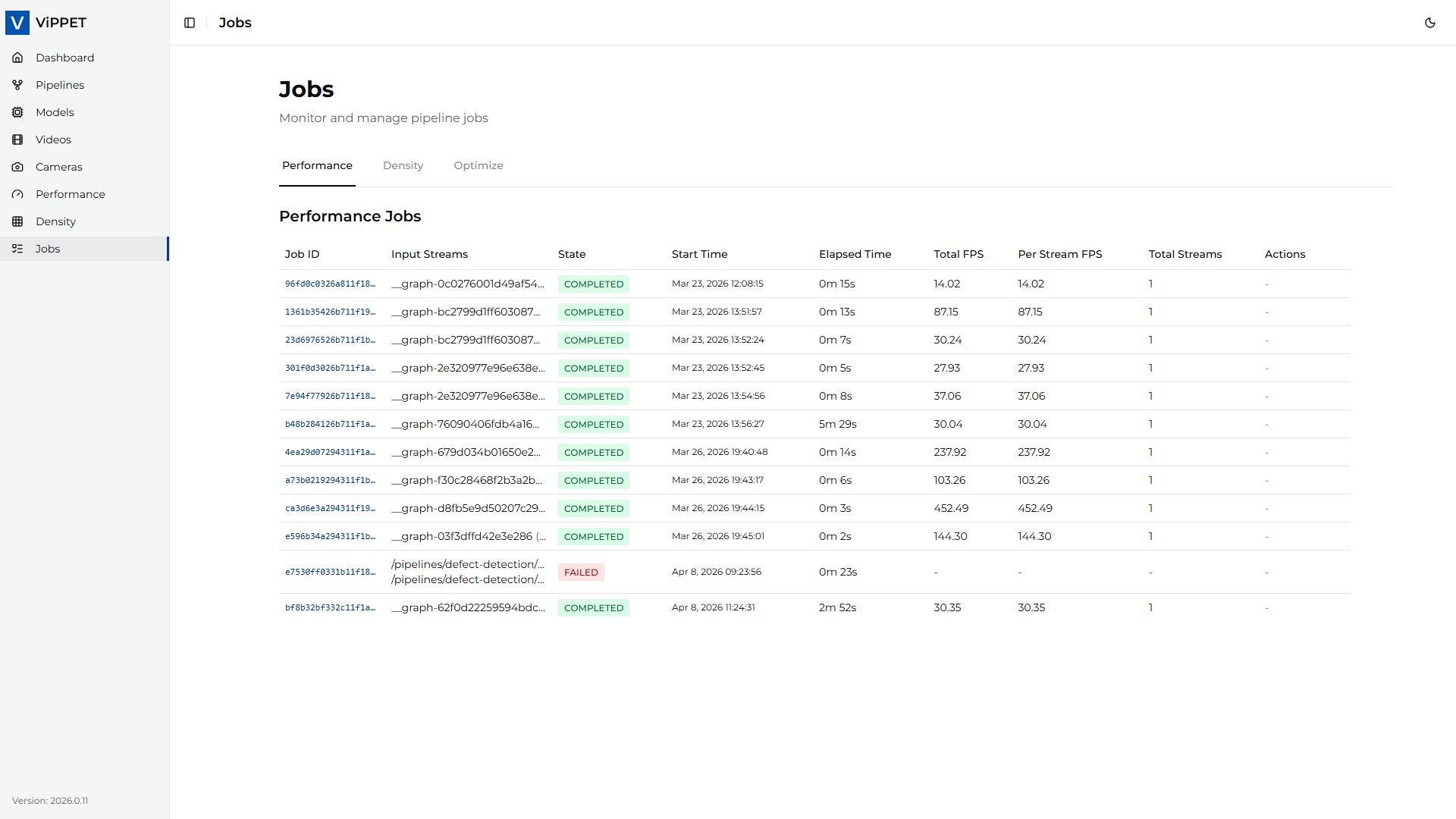
Every performance test and density test creates a job — a tracked unit of work with a unique ID, state, timing information, and results. The Jobs page lets you monitor running tests, review completed results, and stop jobs that are no longer needed.
Job states#
Each job transitions through the following states:
State |
Description |
|---|---|
RUNNING |
The job is currently executing. Pipelines are active and metrics are being collected. |
COMPLETED |
The job finished successfully. Full results (FPS, output paths) are available. |
FAILED |
The job terminated with an error, or was cancelled before producing valid results. |
Job information#
The Jobs page displays the following information for each job:
Field |
Description |
|---|---|
Job ID |
Unique identifier assigned when the job is created |
Type |
|
State |
Current state (RUNNING, COMPLETED, or FAILED) |
Start time |
When the job was created |
Elapsed time |
Duration from start to current time (or end time if completed) |
Details |
Human-readable status messages (e.g., current iteration in density testing) |
Viewing job results#
Click on a completed job to view its detailed results:
Performance jobs — Total FPS, Per Stream FPS, stream count, output video paths, and live stream URLs.
Density jobs — Maximum sustainable stream count, per-stream FPS at that count, and stream distribution across pipelines. In mixed density mode the pinned pipeline always reports its fixed
streamsvalue while the other pipeline reports the highest count that still metfps_floor.Latency metrics — If latency metrics were enabled for the job, the results include avg/min/max latency values (in milliseconds) per reporting interval.
Stopping a running job#
To stop a job that is currently running:
Locate the job in the list (state = RUNNING).
Click the Stop button.
The job will be terminated.
Behavior after stopping:
Performance tests — If the pipeline had already started processing frames, partial results (FPS, output videos) may be preserved and the job state transitions to COMPLETED. If no frames were processed, the job transitions to FAILED.
Density tests — Cancelled density tests always transition to FAILED because partial results from an incomplete search algorithm are not meaningful.
Note
Stopping a job sends a cancellation signal to the underlying GStreamer subprocesses. The actual termination may take a few seconds while pipelines flush their buffers.
API endpoints#
Jobs can also be managed programmatically via the REST API:
Operation |
Endpoint |
Method |
|---|---|---|
List all performance jobs |
|
GET |
Get performance job status |
|
GET |
Stop performance job |
|
DELETE |
List all density jobs |
|
GET |
Get density job status |
|
GET |
Stop density job |
|
DELETE |
For full API documentation, see the auto-generated OpenAPI docs at /docs on the backend service.