Auto Camera Calibration Service#
Auto camera calibration service computes camera parameters automatically instead of complicated manual calibration methods.
The calibration process begins with the client sending a heartbeat command to verify if the calibration service is active. Upon receiving this, the service responds with its current status, such as “running” or “alive.” If the status confirms that the service is running, the client issues a command to initiate camera localization. The calibration service then processes this request and returns the resulting camera pose data.
The auto calibration services supports two types of camera calibration methods:
AprilTag Calibration: This method uses fiducial markers called AprilTags placed within the scene. By detecting these markers in the camera’s view, the service calculates the camera’s position, enhancing calibration accuracy and efficiency. Check out the detailed guide on how to Use AprilTag Camera Calibration.
Markerless Calibration: This approach leverages raw RGBD data from a Polycam scan to estimate the camera’s position in the scene, eliminating the need for physical markers. Check out the detailed guide on how to Autocalibrate Cameras Using Visual Features.
For implementation-level details of markerless calibration using NetVLAD, quadtree attention, and HLoc, see Markerless Camera Calibration Internals.
In addition to camera calibration, the service supports sensor-agnostic perceptual sensor localization.
A point cloud produced by any perceptual sensor (LiDAR, depth camera, stereo, photogrammetry) is
localized against the scene’s 3D model to compute the sensor-to-scene transform. The client sends a
base64-encoded point cloud together with the target sceneId to
/v1/perceptual-sensors/{sensorId}/localization. PCD is the default point cloud format (PLY is
also accepted for interoperability). The service samples a point cloud from the scene
mesh (cached per scene), aligns the sensor cloud using Open3D Generalized ICP with a point-to-plane
refinement pass, and returns a 4x4 transform along with fitness and inlier RMSE metrics. Localization
runs asynchronously and results are delivered over WebSocket or by polling the GET endpoint.
To deploy the auto calibration service, refer to the Get Started guide. The service supports configuration through specific arguments and flags (listed below), which default to predefined values unless explicitly modified.
Configurable Arguments and Flags#
--resturl: Specifies the URL of the REST server used to provide scene configuration details through the REST API.
--restauth: Authentication credentials for the REST server. This can be provided as user:password or as a path to a JSON file containing the authentication details.
--rootcert: Path to the CA (Certificate Authority) certificate used for verifying the authenticity of the server’s certificate.
--cert: Path to the client certificate file used for secure communication.
--restport: Defines the port number on which the REST API server is exposed. The default value is 8443.
--ssl-certfile: Specifies the file path to the SSL certificate used for securing REST API communications. This argument is required.
--ssl-keyfile: Specifies the file path to the SSL private key corresponding to the certificate. This argument is required.
Architecture#
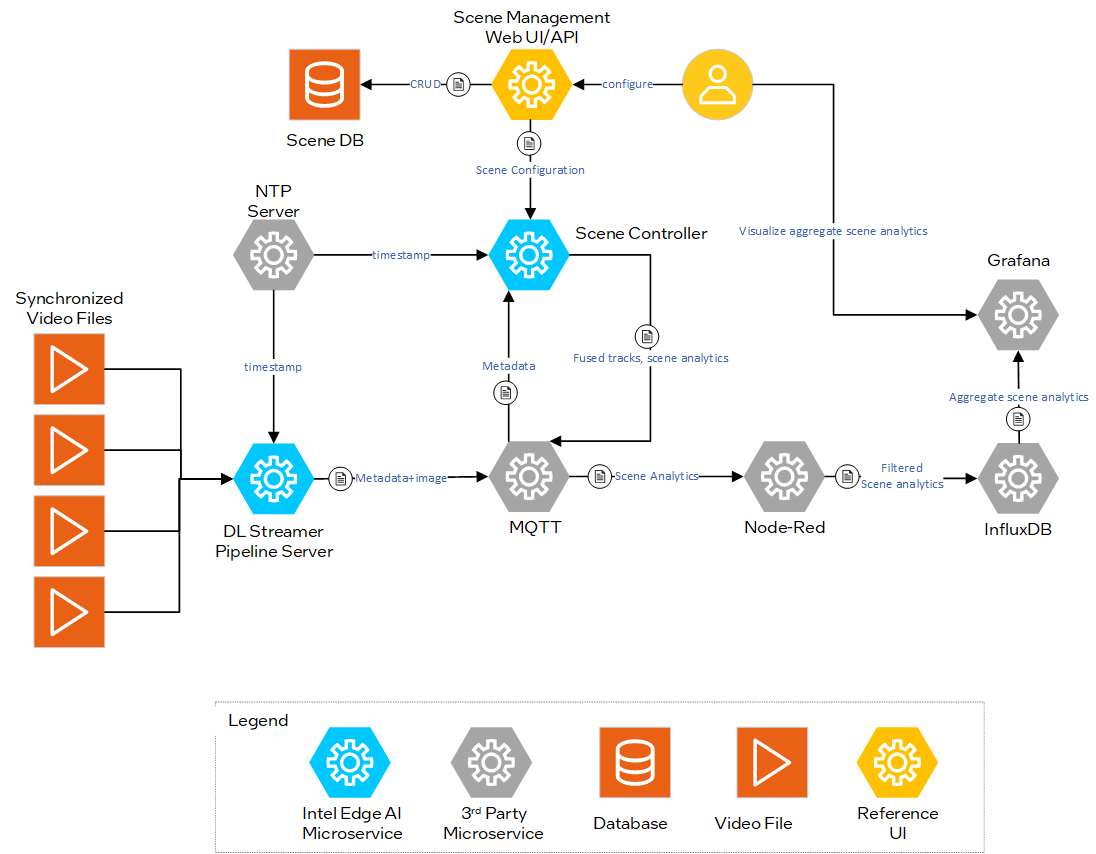
Figure 1: Architecture Diagram
Sequence Diagram: Auto Camera Calibration Workflow#
The workflow below illustrates the Auto Camera Calibration process. Camera pose is determined through two main steps: scene registration and localization.
Scene Registration:
The Client sends a GET request to the
/v1/statusendpoint to check the status of the Auto Camera Calibration Microservice.Once the service confirms it is operational, the Client sends a POST request to
/v1/scenes/{sceneId}/registrationendpoint.The Microservice processes the scene map for AprilTag-based calibration or the RGBD dataset for markerless calibration.
After processing, the service returns the register status back to the Client, confirming successful registration.
Localization:
The Client then sends a POST to
/v1/cameras/{cameraId}/calibrationwith the camera image and optional camera intrinsics.The Auto Camera Calibration Microservice processes the frame to detect AprilTags or keypoints, using the registered scene map to compute the camera pose.
The Client subscribes to real-time calibration results via WebSocket notifications (recommended approach).
Alternatively, the Client can poll the calibration status and results using GET on
/v1/cameras/{cameraId}/calibrationendpoint.
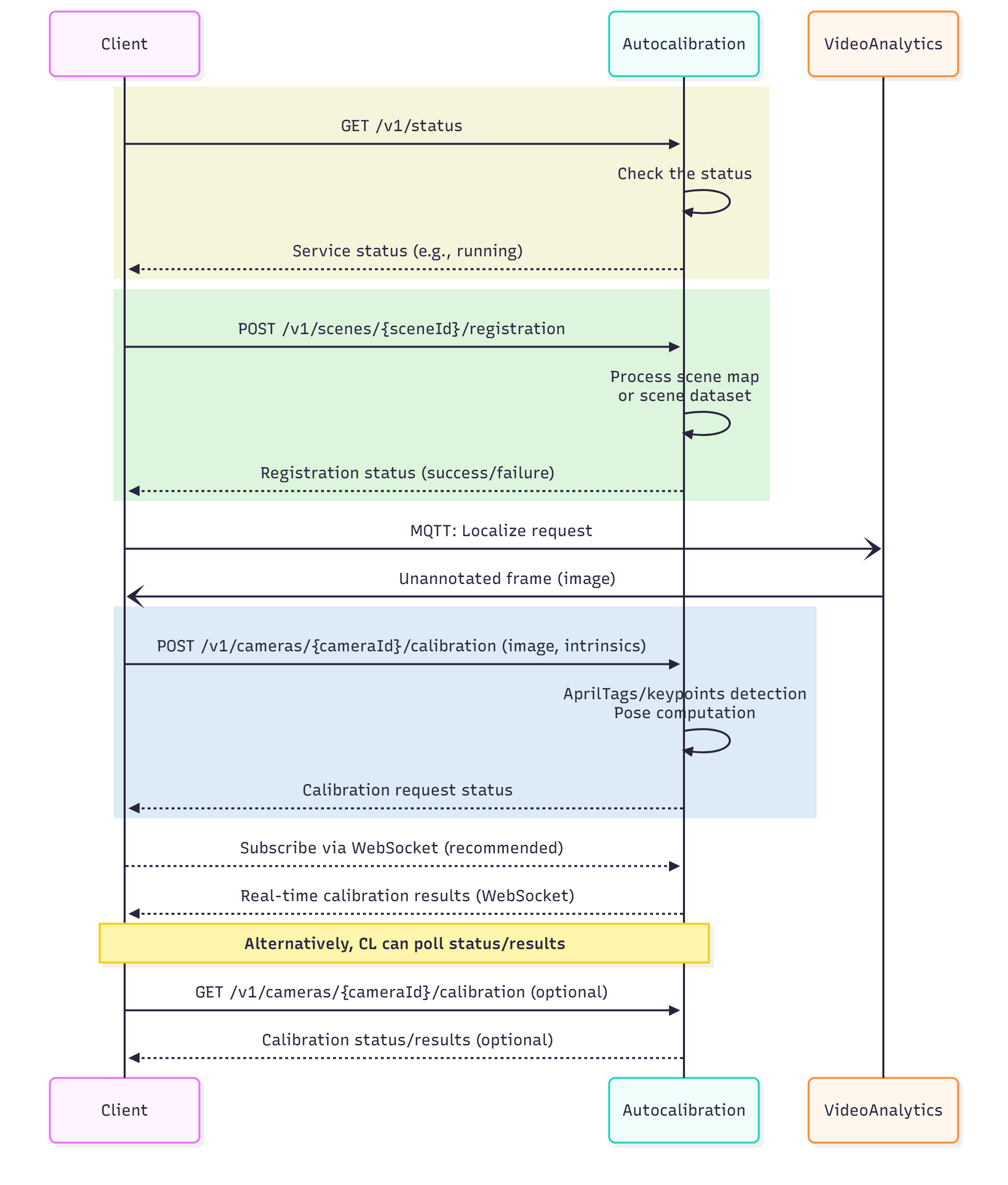
Figure 2: Auto Calibration Sequence diagram