API Reference#
API Specification Viewing Instructions#
Follow the steps below, or see the Swagger UI Installation Guide for full instructions.
1. Pull Swagger UI image#
docker pull swaggerapi/swagger-ui
2. Run the Swagger UI container#
Use a configuration that loads the Scenescape docs/user-guide/api-docs/api.yaml definitions.
General Syntax:
docker run -p 80:8080 --user $(id -u):$(id -g) -e SWAGGER_JSON=/mnt/api.yaml -v <full path to parent directory of api.yaml>:/mnt swaggerapi/swagger-ui
See the Swagger UI Configuration Guide.
Example:
docker run -p 80:8080 --user $(id -u):$(id -g) -e SWAGGER_JSON=/mnt/api.yaml -v ~/scenescape/docs/user-guide/api-docs:/mnt swaggerapi/swagger-ui
Note: Ensure that for the -v option you use the correct path to where Scenescape repository was cloned (
~/scenescape/in the example above).
3. View API docs via a browser#
Navigate to http://localhost
Note:
https:is not supported.localhostcan be replaced with the ip address.
It should look something like this example:
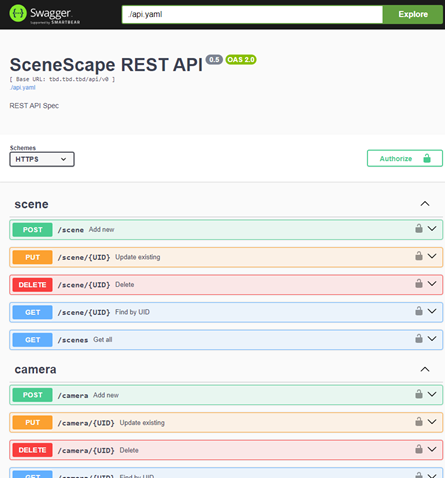
Open API#
Version: 1.3.0: