gvawatermark#
Overlays the metadata on the video frame to visualize the inference results.
Pad Templates:
  SINK template: 'sink'
    Availability: Always
    Capabilities:
      video/x-raw
                format: { (string)BGRx, (string)BGRA, (string)BGR, (string)NV12, (string)I420 }
                  width: [ 1, 2147483647 ]
                height: [ 1, 2147483647 ]
              framerate: [ 0/1, 2147483647/1 ]
      video/x-raw(memory:DMABuf)
                format: { (string)RGBA, (string)I420 }
                  width: [ 1, 2147483647 ]
                height: [ 1, 2147483647 ]
              framerate: [ 0/1, 2147483647/1 ]
      video/x-raw(memory:VASurface)
                format: { (string)NV12 }
                  width: [ 1, 2147483647 ]
                height: [ 1, 2147483647 ]
              framerate: [ 0/1, 2147483647/1 ]
      video/x-raw(memory:VAMemory)
                format: { (string)NV12 }
                  width: [ 1, 2147483647 ]
                height: [ 1, 2147483647 ]
              framerate: [ 0/1, 2147483647/1 ]

  SRC template: 'src'
    Availability: Always
    Capabilities:
      video/x-raw
                format: { (string)BGRx, (string)BGRA, (string)BGR, (string)NV12, (string)I420 }
                  width: [ 1, 2147483647 ]
                height: [ 1, 2147483647 ]
              framerate: [ 0/1, 2147483647/1 ]
      video/x-raw(memory:DMABuf)
                format: { (string)RGBA, (string)I420 }
                  width: [ 1, 2147483647 ]
                height: [ 1, 2147483647 ]
              framerate: [ 0/1, 2147483647/1 ]
      video/x-raw(memory:VASurface)
                format: { (string)NV12 }
                  width: [ 1, 2147483647 ]
                height: [ 1, 2147483647 ]
              framerate: [ 0/1, 2147483647/1 ]
      video/x-raw(memory:VAMemory)
                format: { (string)NV12 }
                  width: [ 1, 2147483647 ]
                height: [ 1, 2147483647 ]
              framerate: [ 0/1, 2147483647/1 ]

Element has no clocking capabilities.
Element has no URI handling capabilities.

Pads:
  SINK: 'sink'
    Pad Template: 'sink'
  SRC: 'src'
    Pad Template: 'src'

Element Properties:
  async-handling      : The bin will handle Asynchronous state changes
                        flags: readable, writable
                        Boolean. Default: false
  displ-cfg           : Comma separated list of KEY=VALUE parameters of displayed notations.
                        Available options:
                        * show-labels=<bool> enable or disable displaying text labels, default true
                        * font-scale=<double 0.1 to 2.0> scale factor for text labels, default 0.5
                        * thickness=<uint> bounding box thickness, default 2
                        * color-idx=<int> color index for bounding box, keypoints, and text, default -1 (use default colors: 0 red, 1 green, 2 blue)
                        * font-type=<string> font type for text labels, default triplex. Supported fonts: simplex, plain, duplex, complex, triplex, complex_small, script_simplex, script_complex
                        * draw-txt-bg=<bool> enable or disable displaying text labels background, by enabling it the text color is set to white, default true
                        * show-roi=<string> colon-separated list of labels to include (only these objects will be shown), default empty
                        * hide-roi=<string> colon-separated list of labels to exclude (these objects will be hidden), default empty
                        * enable-blur=<bool> enable ROI blurring for privacy protection, default false
                          NOTE : Blurring is applied only when "enable-blur=true"; if no "show-blur-roi" / "hide-blur-roi" filters are set, all ROIs are blurred
                          NOTE : show-blur-roi takes precedence over hide-blur-roi when both are specified
                          NOTE : this option is supported only for CPU for now.
                        * show-blur-roi=<string> colon-separated list of object labels to blur (e.g., "face:person")
                        * hide-blur-roi=<string> colon-separated list of labels to exclude from blurring (show-blur-roi takes precedence)
                        * text-x=<float> x position (pixels) for full-frame text (e.g. from gvagenai), default 0
                        * text-y=<float> y position (pixels) for full-frame text (e.g. from gvagenai), default 25
                        * ff-custom-txt=<string> extra custom text for full-frame display (limit 20 characters), default empty
                          NOTE : text-x and text-y apply to ff-custom-txt position

                        e.g.: displ-cfg=show-labels=false
                        e.g.: displ-cfg=font-scale=0.5,thickness=3,color-idx=2,font-type=plain
                        e.g.: displ-cfg=show-labels=true,show-roi=person:car:truck
                        e.g.: displ-cfg=show-labels=true,hide-roi=bottle:cup
                        e.g.: displ-cfg=enable-blur=true,show-blur-roi=face:person
                        e.g.: displ-cfg=text-y=680 (place full-frame text near bottom of a 720p frame)
                        e.g.: displ-cfg=text-y=680,ff-custom-txt='Custom Text' (place 'Custom Text' near bottom of a 720p frame)

                        flags: readable, writable
                        String. Default: null
  device              : Supported devices are CPU and GPU. Default is CPU on system memory and GPU on video memory
                        flags: readable, writable
                        String. Default: null
  displ-avgfps        : If true, display the average FPS read from gvafpscounter element on the output video.
                        The gvafpscounter element must be present in the pipeline.
                        e.g. ... ! gvawatermark displ-avgfps=true ! gvafpscounter ! ...
                        flags: readable, writable
                        Boolean. Default: false
  message-forward     : Forwards all children messages
                        flags: readable, writable
                        Boolean. Default: false
  name                : The name of the object
                        flags: readable, writable
                        String. Default: "gvawatermark0"
  parent              : The parent of the object
                        flags: readable, writable
                        Object of type "GstObject"
Visual Examples#
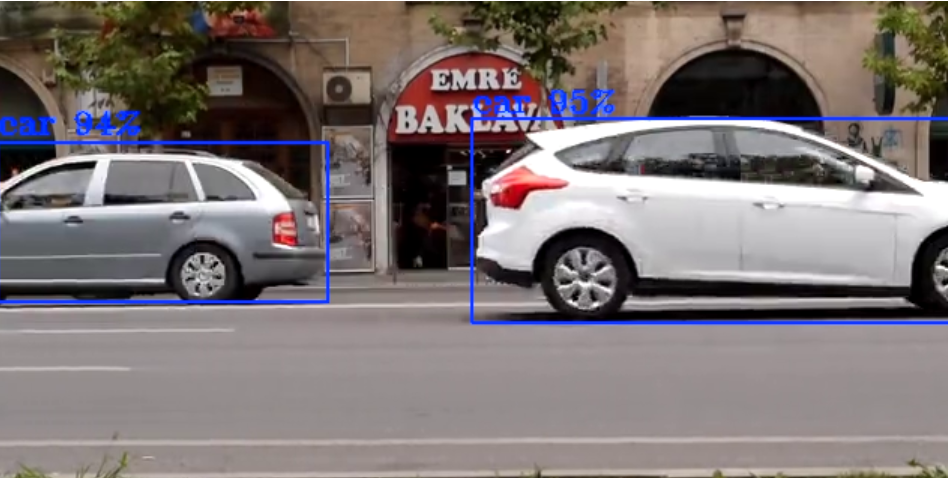
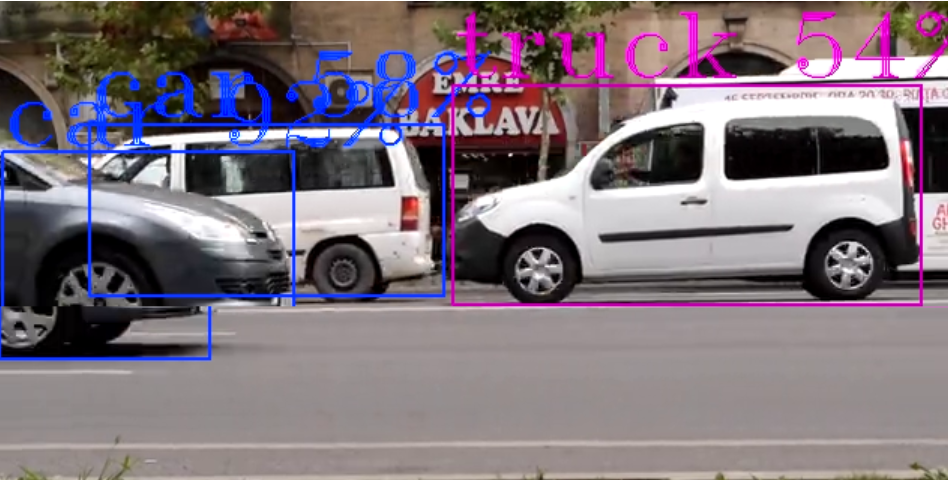
The following examples demonstrate how different displ-cfg parameters affect the watermark appearance:
Font Scale#
Controls the size of text labels displayed on detected objects.
Small Font Scale (font-scale=0.7)
Large Font Scale (font-scale=2.0)
Label Display#
Labels Disabled (show-labels=false)
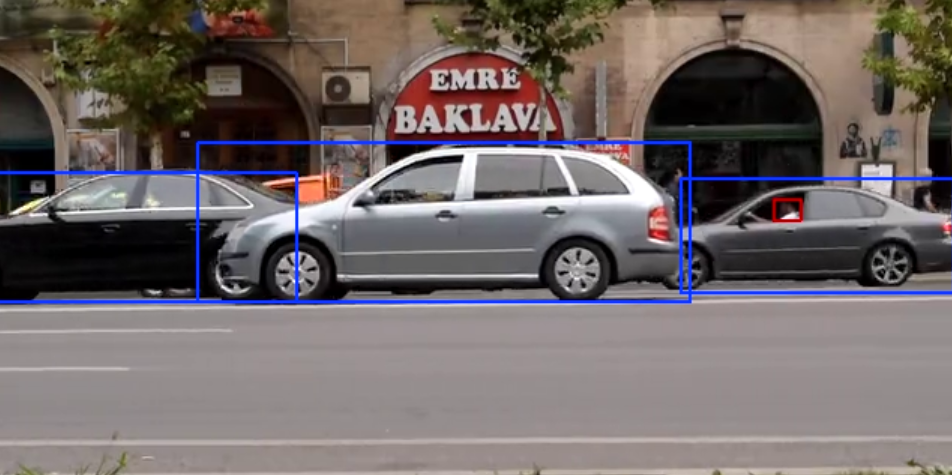
Shows only bounding boxes without text labels
Text Background#
Text Background Enabled (draw-txt-bg=true)
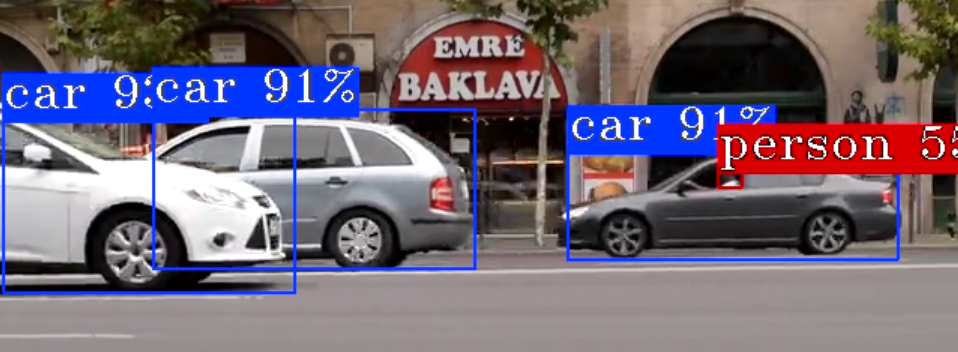
Blue background makes text more readable over complex backgrounds
Color Index#
Red Color (color-idx=0)
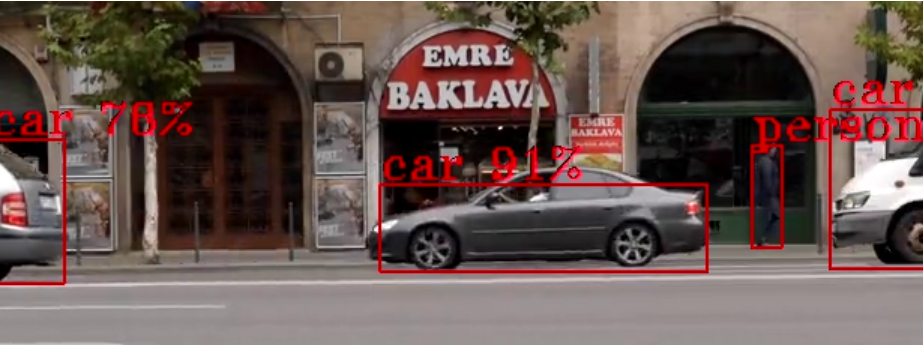
Uses red color for bounding boxes and text
Font Types#
Font Comparison
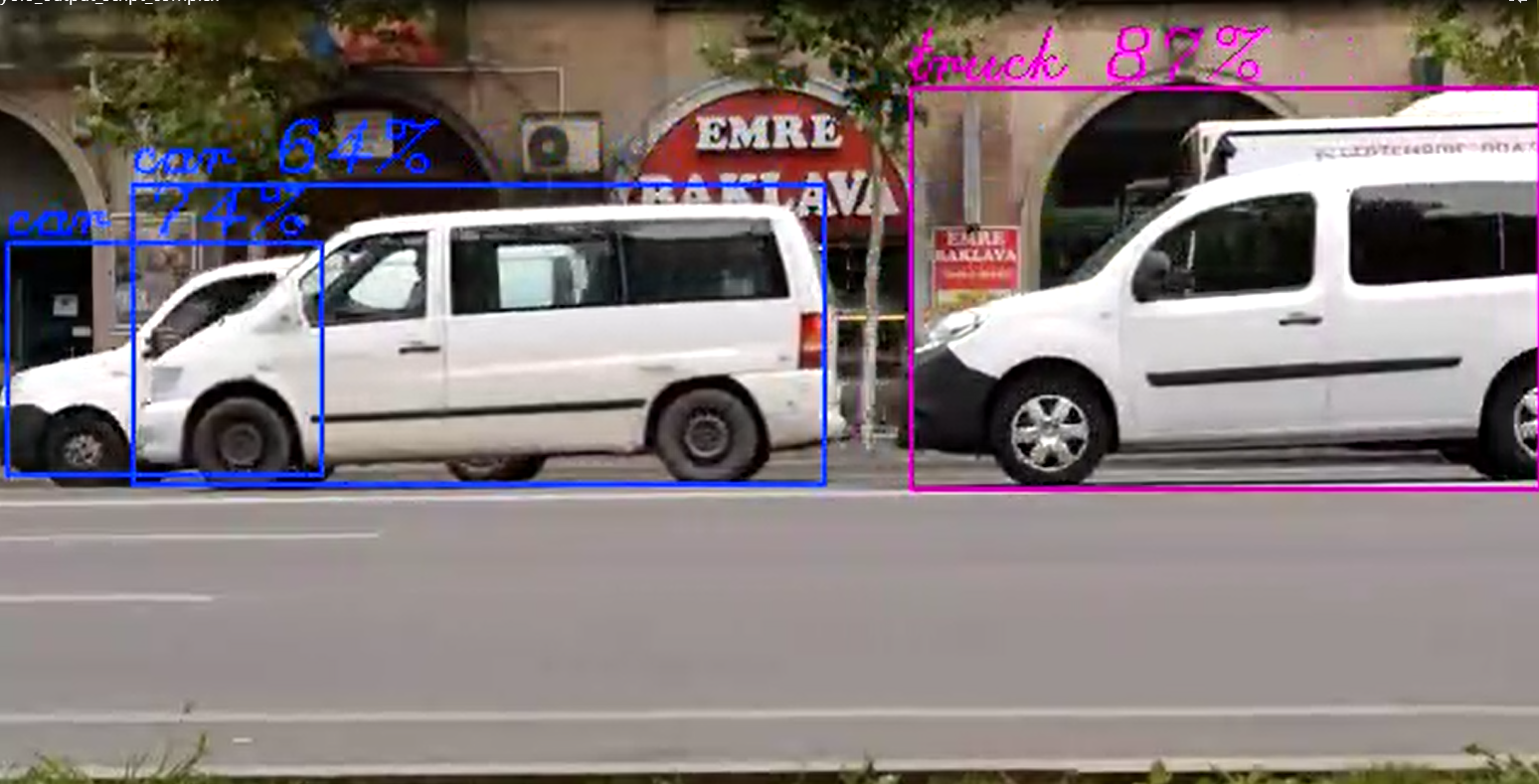
Comparison of different font types (simplex vs complex)
Default Triplex Font
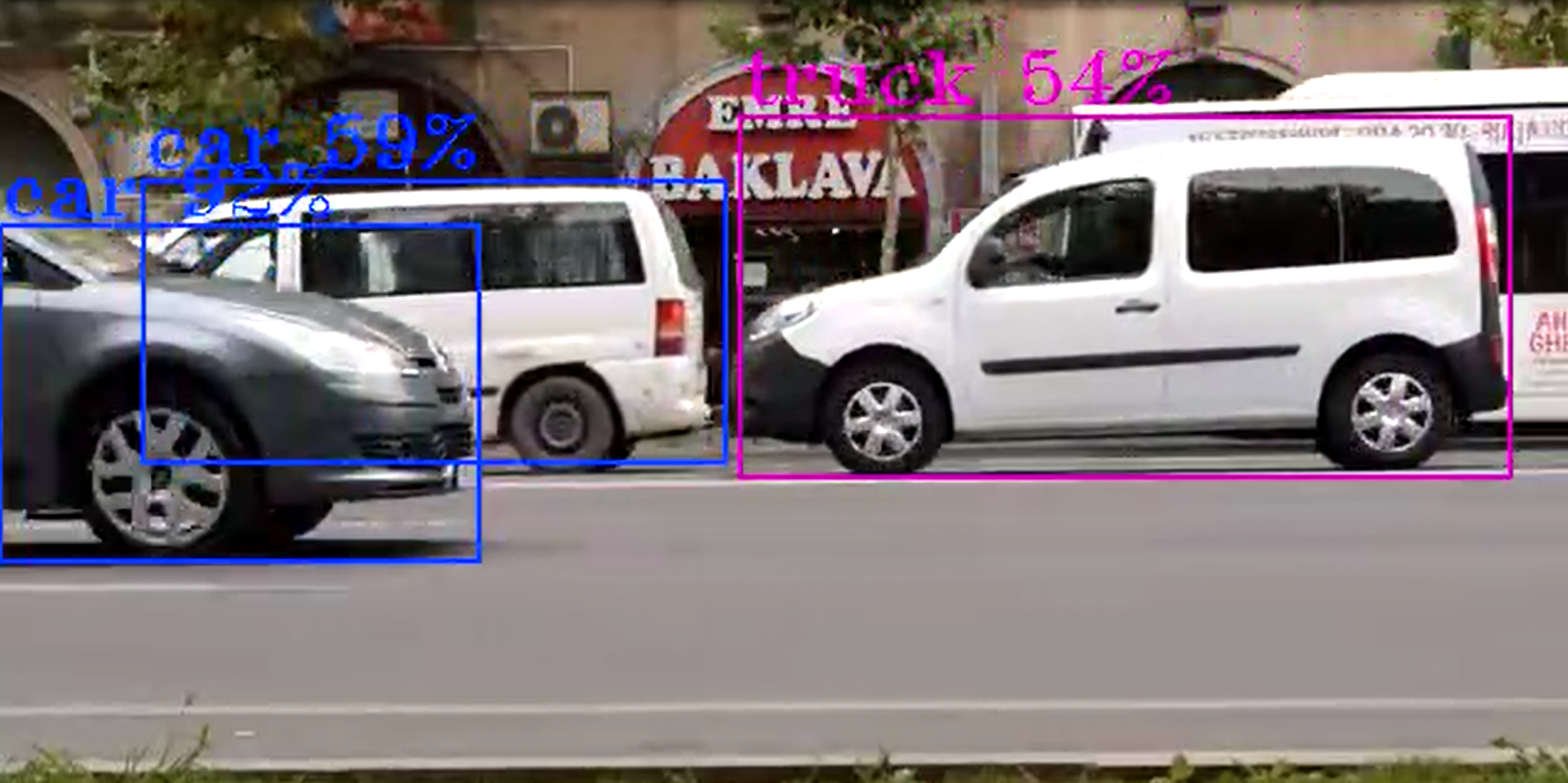
The default triplex font provides good readability
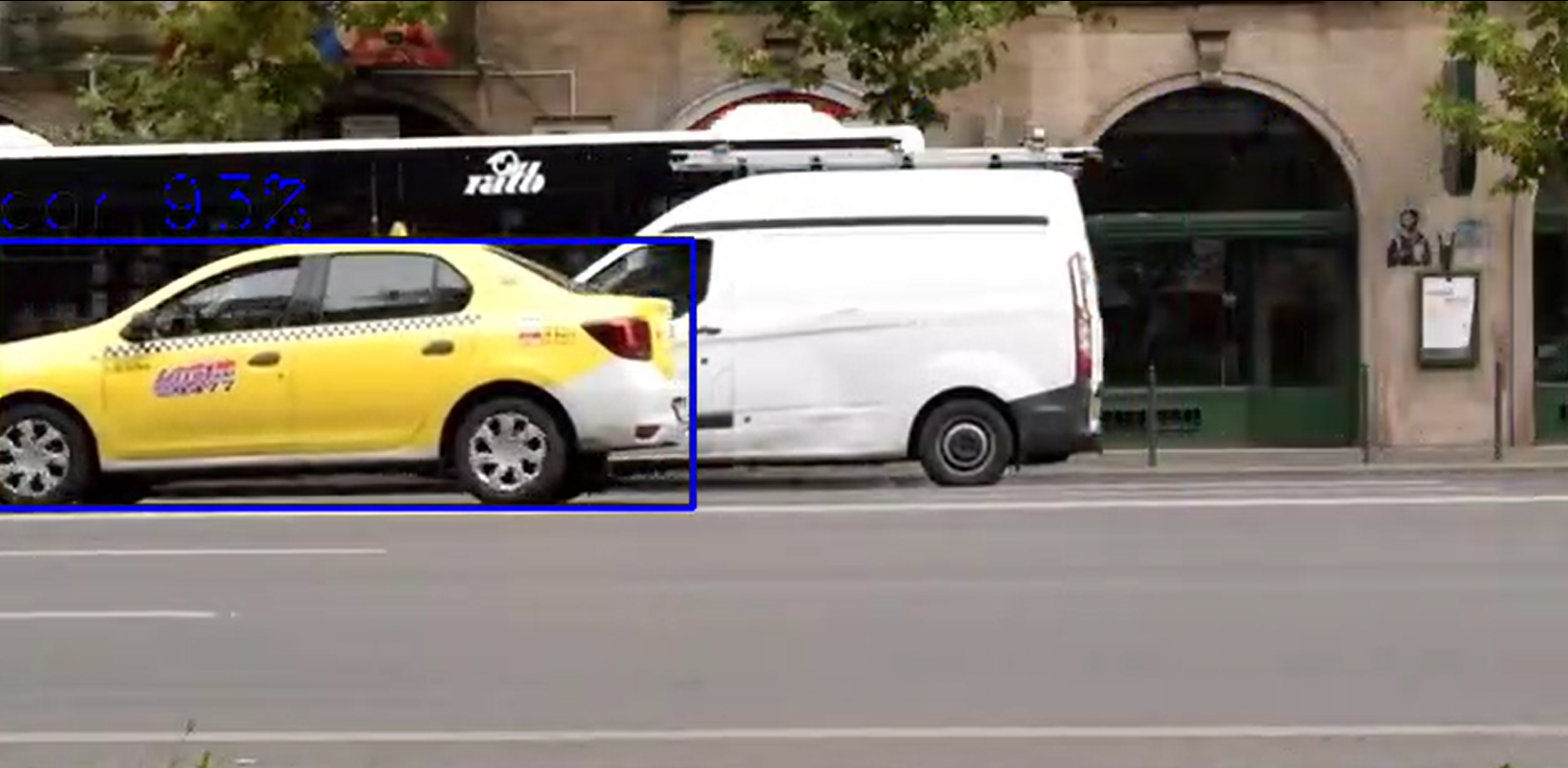
Label Filtering#
You can selectively show or hide detected objects based on their labels using filtering parameters:
Include Labels (show-roi=person:car:truck)
Only objects with labels “person”, “car”, or “truck” will be displayed
All other detected objects will be hidden
Useful for focusing on specific object types
e.g displ-cfg=show-labels=true,show-roi=car
Exclude Labels (hide-roi=bottle:cup:laptop)
Objects with labels “bottle”, “cup”, or “laptop” will be hidden
All other detected objects will be displayed
Useful for removing distracting or irrelevant objects from the display
e.g displ-cfg=show-labels=true,hide-roi=car
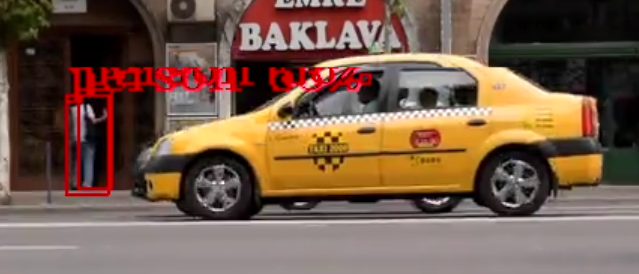
Filter Priority
If both
show-roiandhide-roiare specified,show-roitakes precedenceEmpty lists mean no filtering is applied
Blur Feature#
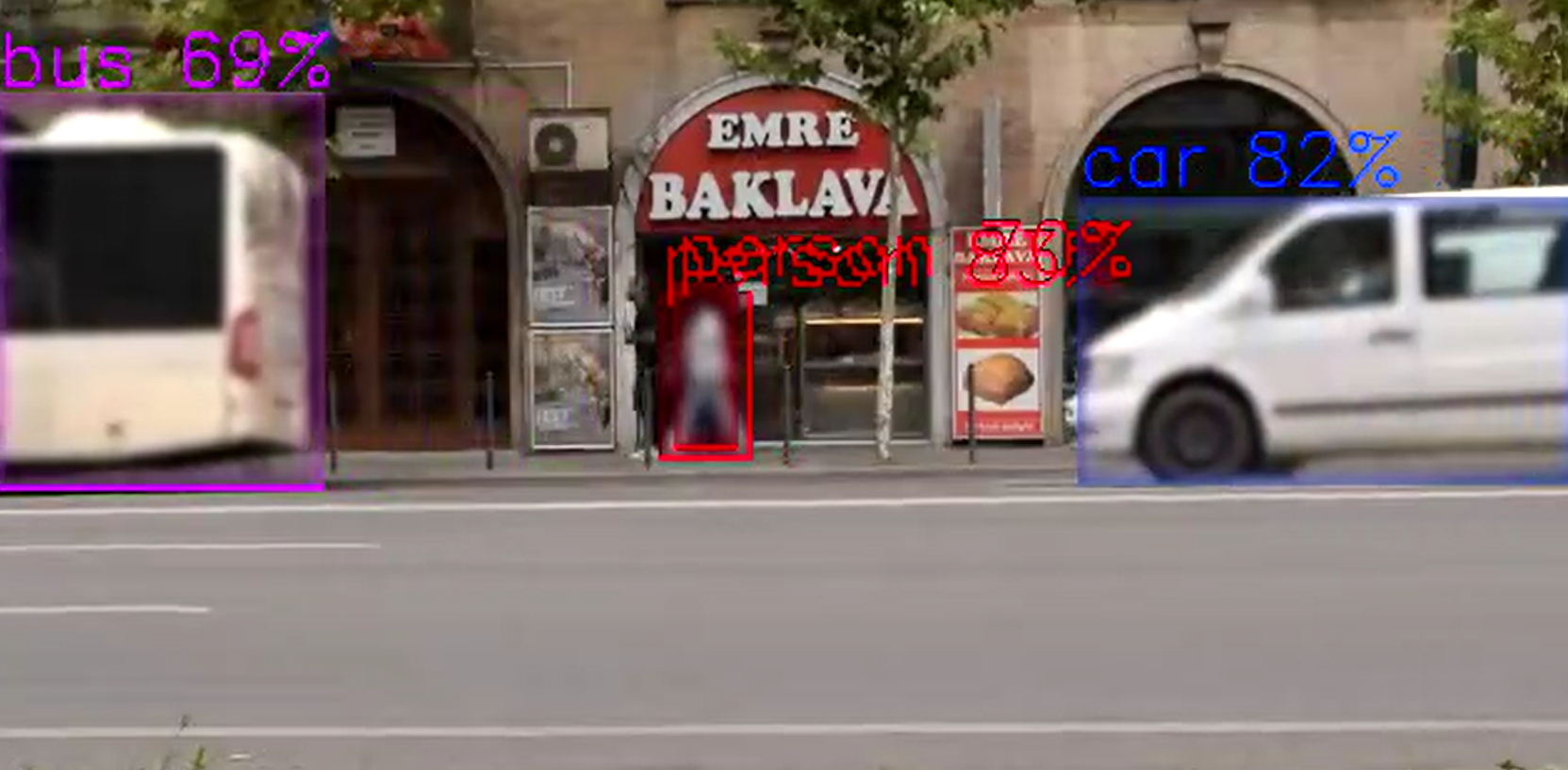
The gvawatermark element supports privacy protection through region of interest (ROI) blurring using OpenCV GaussianBlur with a dynamic kernel size as ~1/5 of each ROI dimension (minimum 7, always odd) so the blur strength scales with the region. This feature is useful for anonymizing faces, license plates, or other sensitive content in video streams.
Blur Configuration Parameters#
Blur functionality is controlled through the displ-cfg parameter with these options:
enable-blur=<bool> - Enable or disable blur feature (default: false) Blurring is applied only when “enable-blur=true”; if no “show-blur-roi” / “hide-blur-roi” filters are set, all ROIs are blurred.
show-blur-roi=<string> - Colon-separated list of object labels to blur (e.g., “person:face”)
hide-blur-roi=<string> - Colon-separated list of object labels to exclude from blurring
Blur Examples#
Basic Blur (All detected objects)
# Blur all detected ROIs
displ-cfg=enable-blur=true
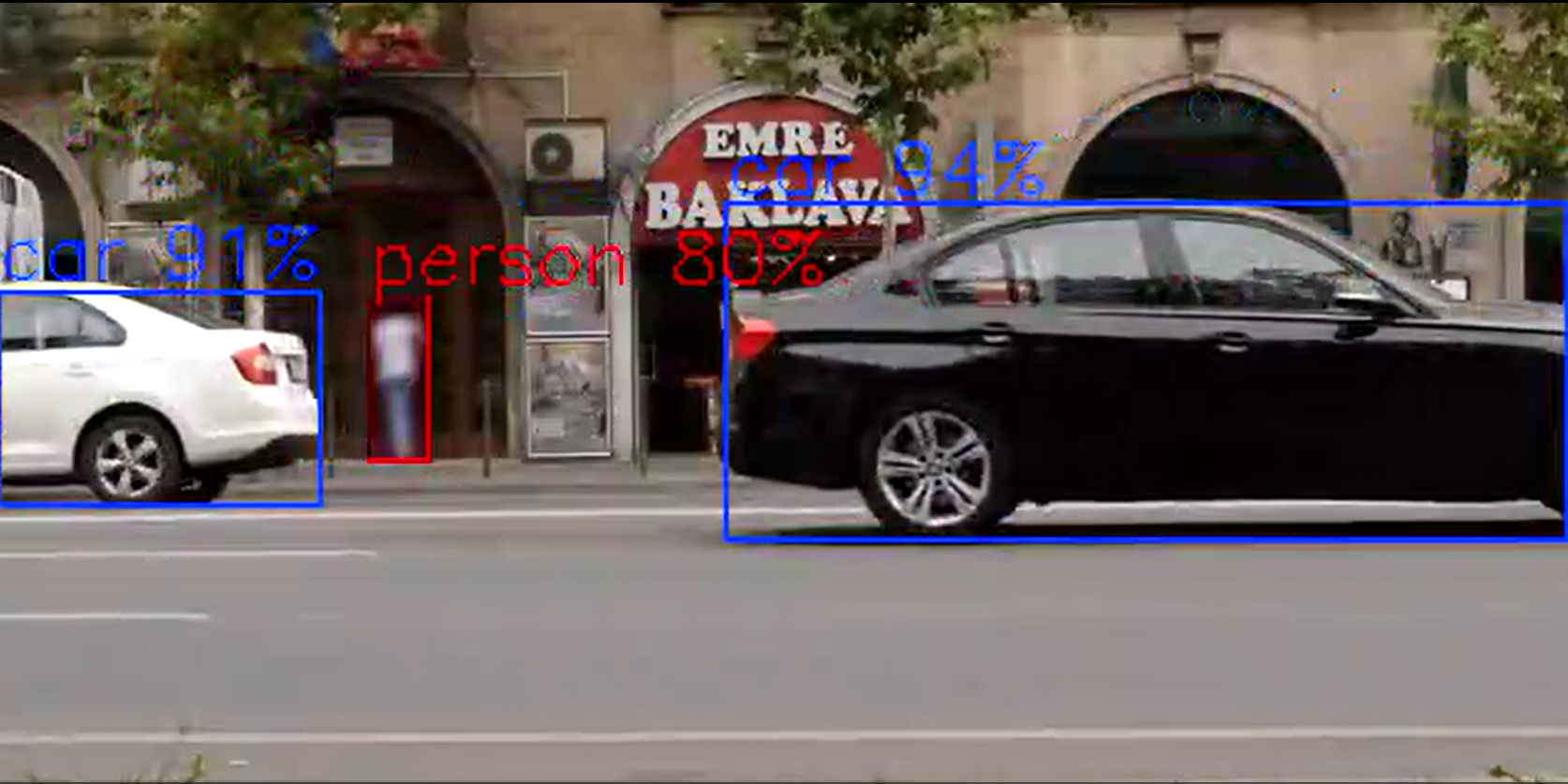
Selective Blur (Include specific labels)
# Blur only faces and persons
displ-cfg=enable-blur=true,show-blur-roi=face:person
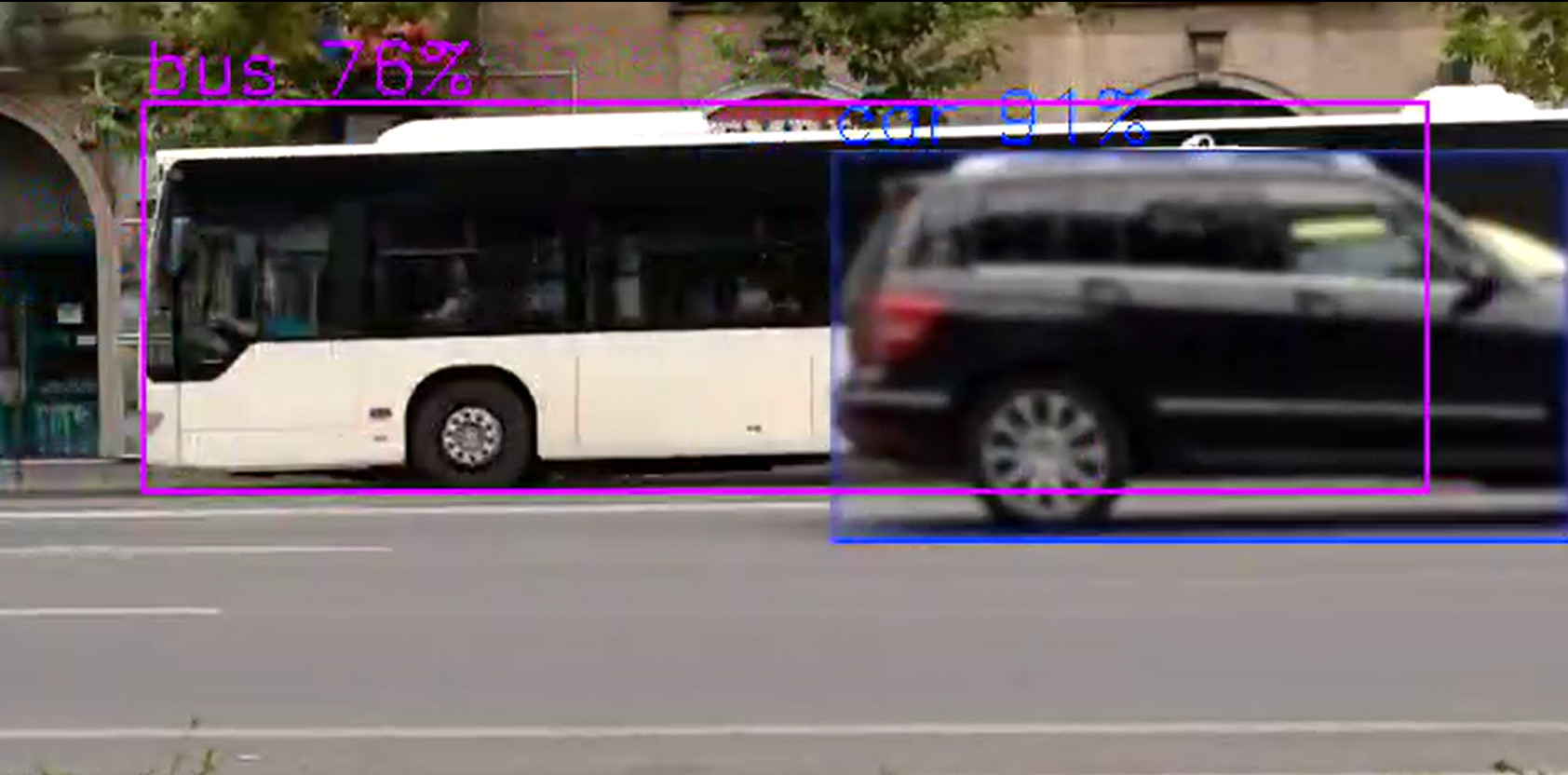
# Blur only cars
displ-cfg=enable-blur=true,show-blur-roi=car
Exclude Blur (Blur all except specific labels)
# Blur all objects except cars and trucks
displ-cfg=enable-blur=true,hide-blur-roi=car:truck

# Blur all except persons
displ-cfg=enable-blur=true,hide-blur-roi=person
Combined with Display Options
# Blur faces with custom display settings
displ-cfg=enable-blur=true,show-blur-roi=face,show-labels=false,thickness=1

# Blur with labels and colored boxes
displ-cfg=enable-blur=true,show-blur-roi=person:face,color-idx=0,font-scale=0.8
Filter Precedence Rules#
show-blur-roi takes precedence over hide-blur-roi. When show-blur-roi is specified and not empty, only objects matching those labels will be blurred, and hide-blur-roi is ignored.
show-blur-roi specified and not empty: Only labels in show-blur-roi are blurred
show-blur-roi empty or unspecified: All labels are blurred except those in hide-blur-roi
Neither specified: All detected ROIs are blurred when enable-blur=true
Performance consideration#
currently objects blur supported only on CPU
Configuration Examples#
# Minimal labels with smaller font
displ-cfg=show-labels=true,show-roi=false

# Large text with background
displ-cfg=font-scale=2.0,draw-txt-bg=true

# Colored thin boxes with simple font
displ-cfg=color-idx=0,thickness=1,font-type=simplex

# Complete custom styling
displ-cfg=font-scale=1.5,thickness=3,color-idx=2,font-type=complex,draw-txt-bg=true

# Show only specific object types
displ-cfg=show-labels=true,show-roi=person:car:truck

# Hide specific object types
displ-cfg=show-labels=true,hide-roi=bottle:cup:laptop

# Combine filtering with styling
displ-cfg=show-labels=true,show-roi=person:car,font-scale=1.2,color-idx=1

# Move full-frame text (e.g. gvagenai result) to near the bottom of a 720p frame
displ-cfg=text-y=680

# Combine text position with other options
displ-cfg=font-scale=1.5,color-idx=1,thickness=5,text-y=680

# Privacy protection with blur
displ-cfg=enable-blur=true,show-blur-roi=face:person,show-labels=false

# Blur all except specific objects
displ-cfg=enable-blur=true,hide-blur-roi=car:truck,thickness=1
FPS Display#
Average FPS Display (displ-avgfps=true)
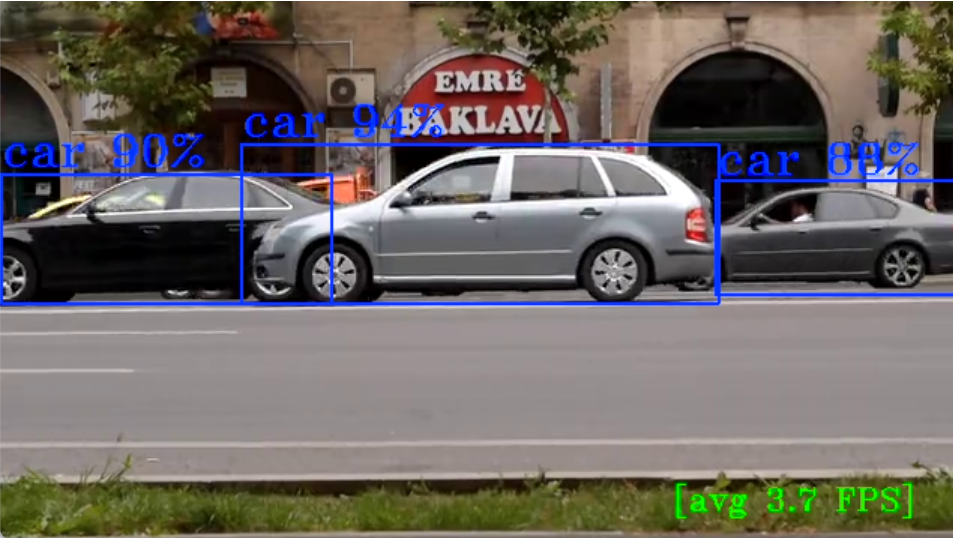
Displays average FPS counter when gvafpscounter element is present in pipeline
Watermark Metadata API#
See Watermark Metadata in the metadata developer guide for full API and Python usage examples.