Use the GPU ORB Extractor#
This tutorial shows how to use the GPU orb-extractor feature library API.
The GPU orb-extractor feature library offers thread-safe support for both single and multiple cameras.
This tutorial illustrates GPU orb-extractor feature library usage with OpenCV cv::Mat and cv::Keypoints. It explains using multiple CPU threads with multiple ORB extractor objects, as well as using a single orb-extractor feature object to handle multiple camera inputs.
The multithread feature provides more flexibility for Visual SLAM to call multiple objects of the orb-extractor feature library.
Prerequisites#
Complete the Robot on Intel Getting Started Guide before continuing.
Tutorial#
Note: This tutorial can be run both inside and outside a Docker image. It assumes that the
liborb-lze-devDeb package is installed and the user has copied the tutorial directory from/opt/intel/orb_lze/samples/to a user-writable directory.
Prepare the environment:
sudo apt install liborb-lze-dev libgflags-dev
cp -r /opt/intel/orb_lze/samples/ ~/orb_lze_samples
cd ~/orb_lze_samples/
main.cppshould be in the directory. View it on GitHub to read the comments for the code.Build the code:
mkdir build && cd build
cmake ../
make -j
Run the binary:
./feature_extract -hAvailable command line arguments:
Usage: ./feature_extract --images=<> --image_path=<> --threads=<>

  --images <integer>     : Number of images or number of cameras. Default value: 1
  --image_path <string>  : Path to input image files. Default value: image.jpg
  --threads <integer>    : Number of threads to run. Default value: 1
  --iterations <integer> : Number of iterations to run. Default value: 10
The following command runs four threads, each thread taking two camera image inputs:
./feature_extract --images=2 --threads=4
Expected results example:
./feature_extract --images=2 --threads=4
 iteration 10/10
 Thread:2: gpu host time=21.4233
 iteration 10/10
 Thread:1: gpu host time=21.133
 iteration 10/10
 Thread:4: gpu host time=20.9086
 iteration 10/10
 Thread:3: gpu host time=20.6155
After execution, the input image displays keypoints as blue dots.
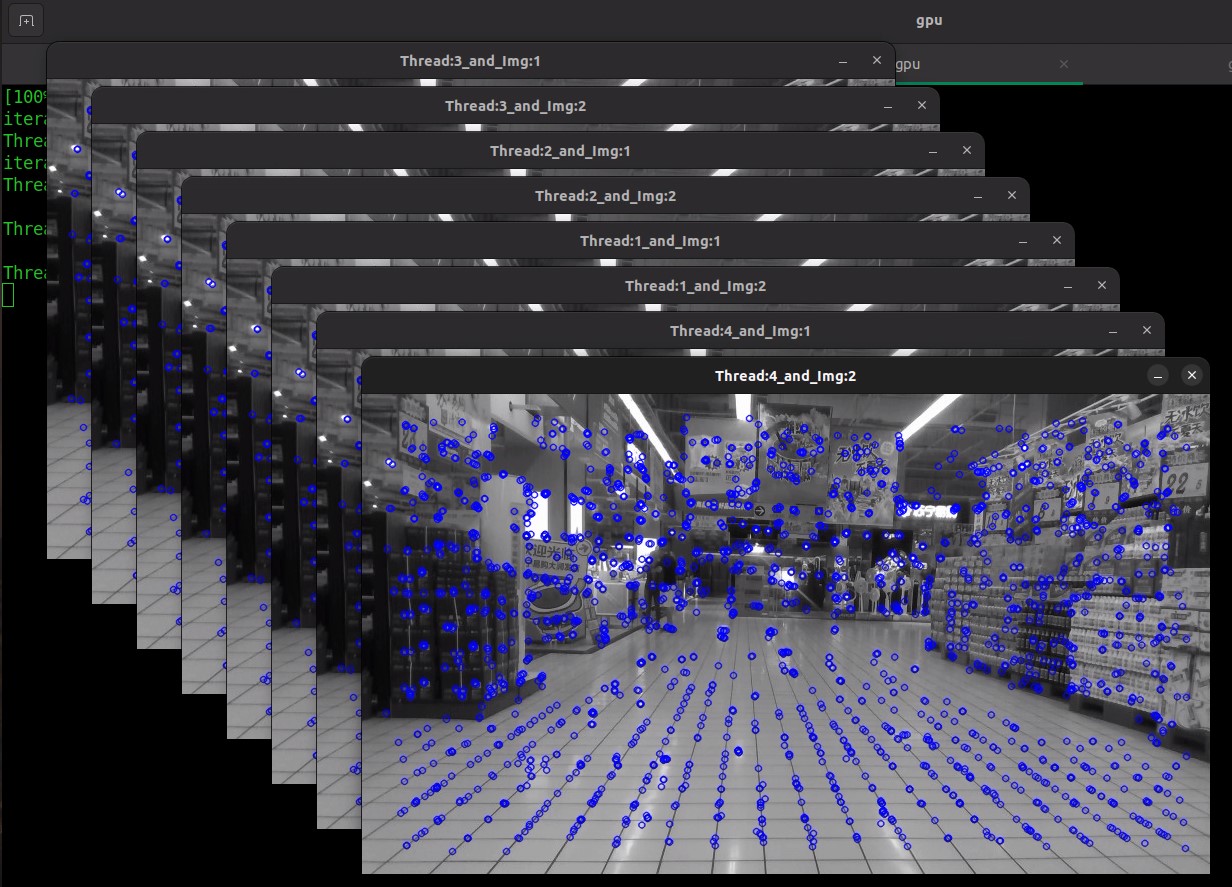
Note: You can specify the number of images per thread and the number of threads to execute. You can process multiple image inputs within a single thread of the extract API, or process one or more image inputs using multiple threads with extract API calls.