OpenVINO™ Object Detection Tutorial#
This tutorial is an example for understanding the utilization of the ROS 2 node with OpenVINO™ toolkit. It outlines the steps for installing the node and executing the object detection model. Object detection is performed using the OpenVINO™ toolkit. The node is configured to accept dynamically device parameters (NPU, GPU, or CPU) to specify which inference engine should be used.
Source Code#
The source code of this component can be found here: Object-Detection
Prerequisites#
Complete the GSG robot guide before continuing.
Install OpenVINO™ toolkit tutorial packages#
sudo apt install ros-jazzy-object-detection-tutorial
sudo apt install ros-humble-object-detection-tutorial
Run Demo with Image Input#
Run one of the following commands to launch the object detection node with a specific inference engine:
GPU inference engine
ros2 launch object_detection_tutorial openvino_object_detection.launch.py device:=GPU
CPU inference engine
ros2 launch object_detection_tutorial openvino_object_detection.launch.py device:=CPU
NPU inference engine
ros2 launch object_detection_tutorial openvino_object_detection.launch.py device:=NPU
Note: If no device is specified, the GPU is selected by default as an inference engine.
Once the tutorial is started, the mobilenetssd model is downloaded, converted into IR files, and the inference process begins.
Expected Output#
The RViz window will show up and the image with detected objects will be displayed, as presented below:
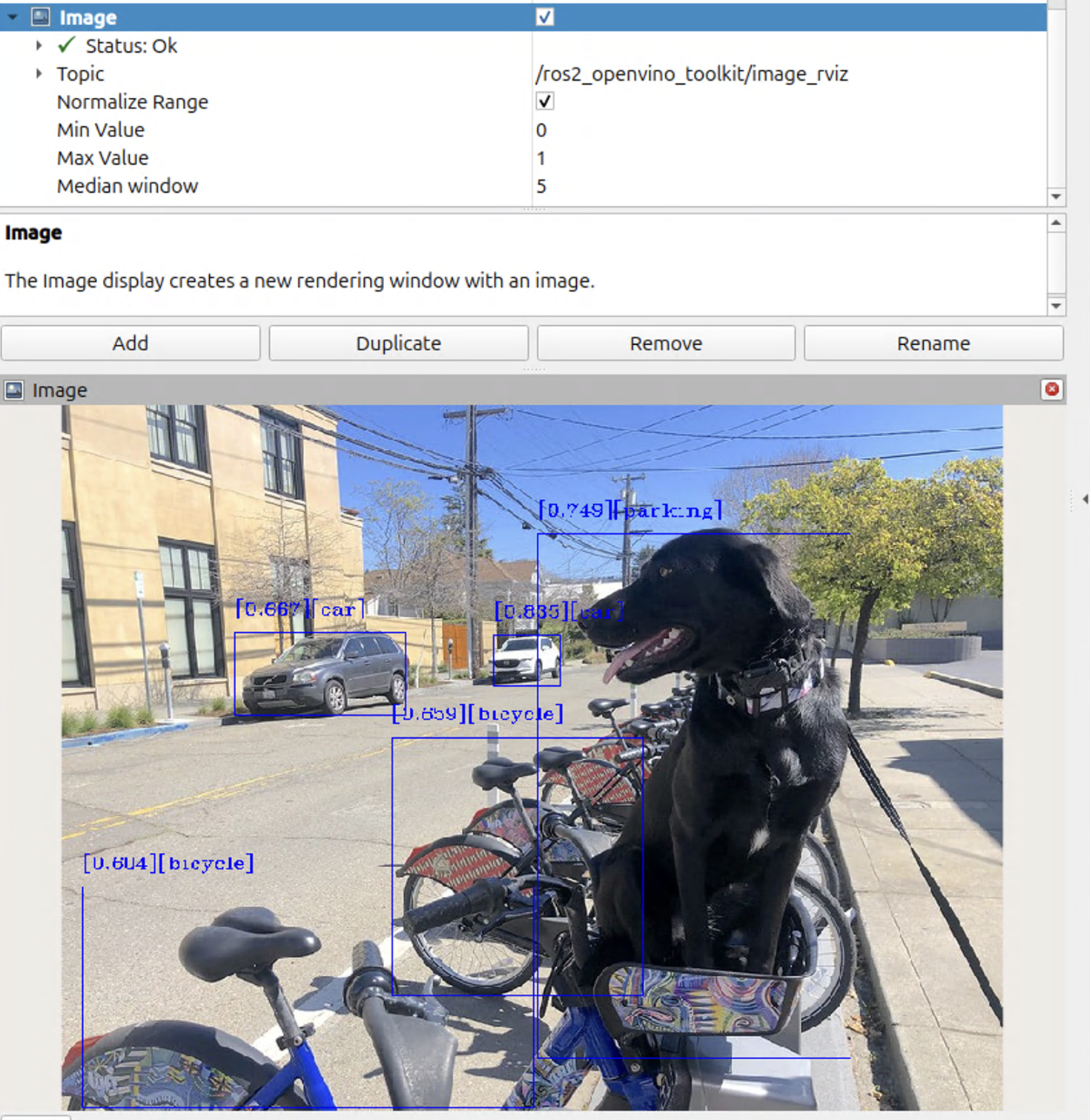
To close this application, type Ctrl-c in the terminal where you ran the launch script.
Troubleshooting#
For general robot issues, refer to Troubleshooting.