GMSL Add-in-Card Design Overview#
A GMSL product design based on Intel® Core™ Ultra Series 1 and 2 (Arrow Lake-U/H) or 12th/13th/14th Gen Intel® Core™ products can be illustrated as follows:
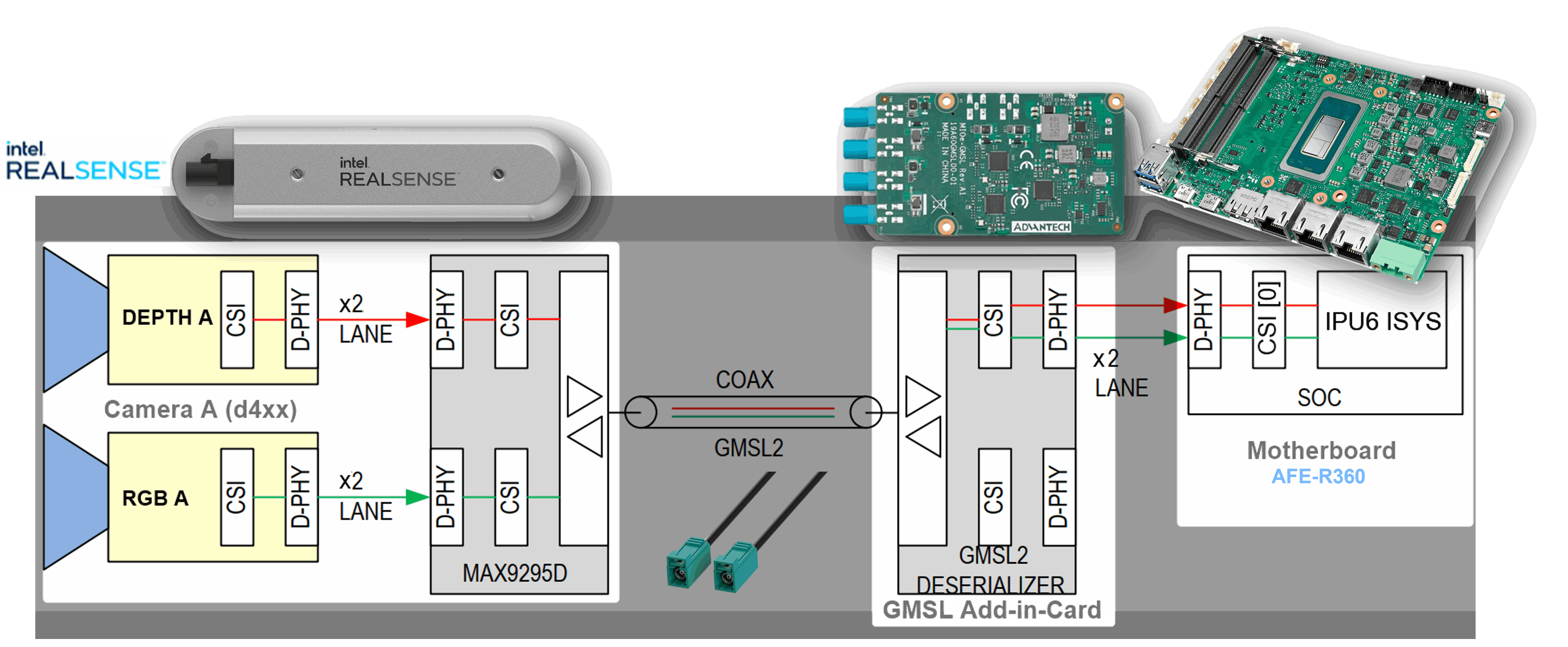
The GMSL2 camera modules, designed by third-party GMSL2 camera vendors, combine a camera sensor and GMSL2 serializer, for example
MAX9295.The Add-in-Card (AIC), designed by either ODM/OEMs or third-party GMSL2 camera vendors, provides multiple GMSL2 deserializers, for example
MAX9296A.The Intel®-based motherboard, designed by ODM/OEMs, provides the Mobile Industry Processor Interface (MIPI) Camera Serial Interface (CSI) exposed by Intel® Core™ Ultra Series 1 and 2 (Arrow Lake-U/H) and 12th/13th/14th Gen Intel® Core™ products.
There are two design approaches for GMSL Add-in-Card (AIC):
Standalone-mode
SerDes: A single GMSL serializer, for exampleMAX9295, and camera sensor devices per deserializer, for exampleMAX9296A. One example is the Axiomtek ROBOX500 4x GMSL camera interfaces Add-in-Card (AIC).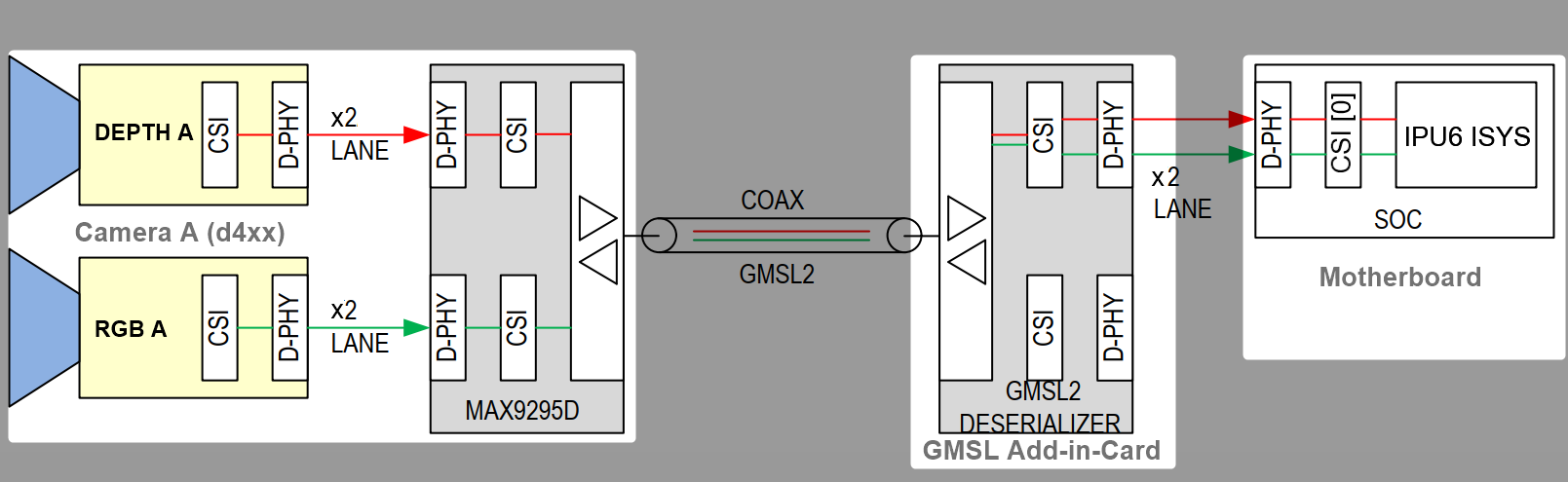
Aggregated-link
SerDes: Dual GMSL serializers, for exampleMAX9295, and camera sensor devices per deserializer, for exampleMAX9296A. Examples include the Axiomtek ROBOX500 8x GMSL camera interfaces, the Advantech GMSL Input Module Card for AFE-R360 series or ASR-A502 series, and the SEAVO Embedded Computer HB03 Add-in-Cards (AIC).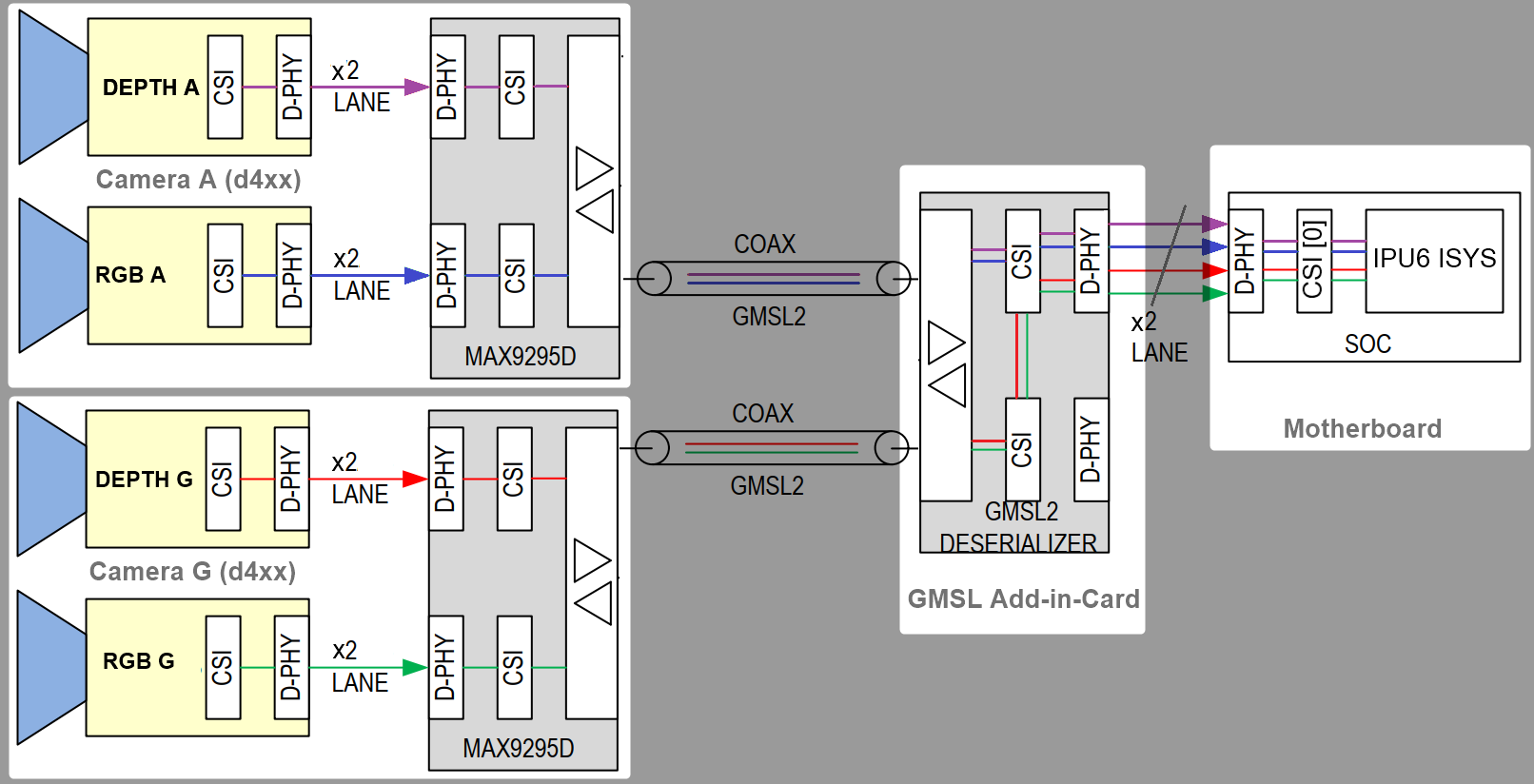
It is crucial to understand the
SerDesI2C connectivity specific to each ODM/OEM motherboard, Add-in-Card (AIC), and GMSL2 camera module. Illustrated below are all details a user needs to learn about I2C communication between a BDF (Bit-Definition File) Linux I2C adapter and GMSL2 I2C devices for Intel® Core™ Ultra Series 1 and 2 (Arrow Lake-U/H) and 12th/13th/14th Gen Intel® Core™ platforms to detect and configure GMSL capability. See SerDes I2C mapping for further details.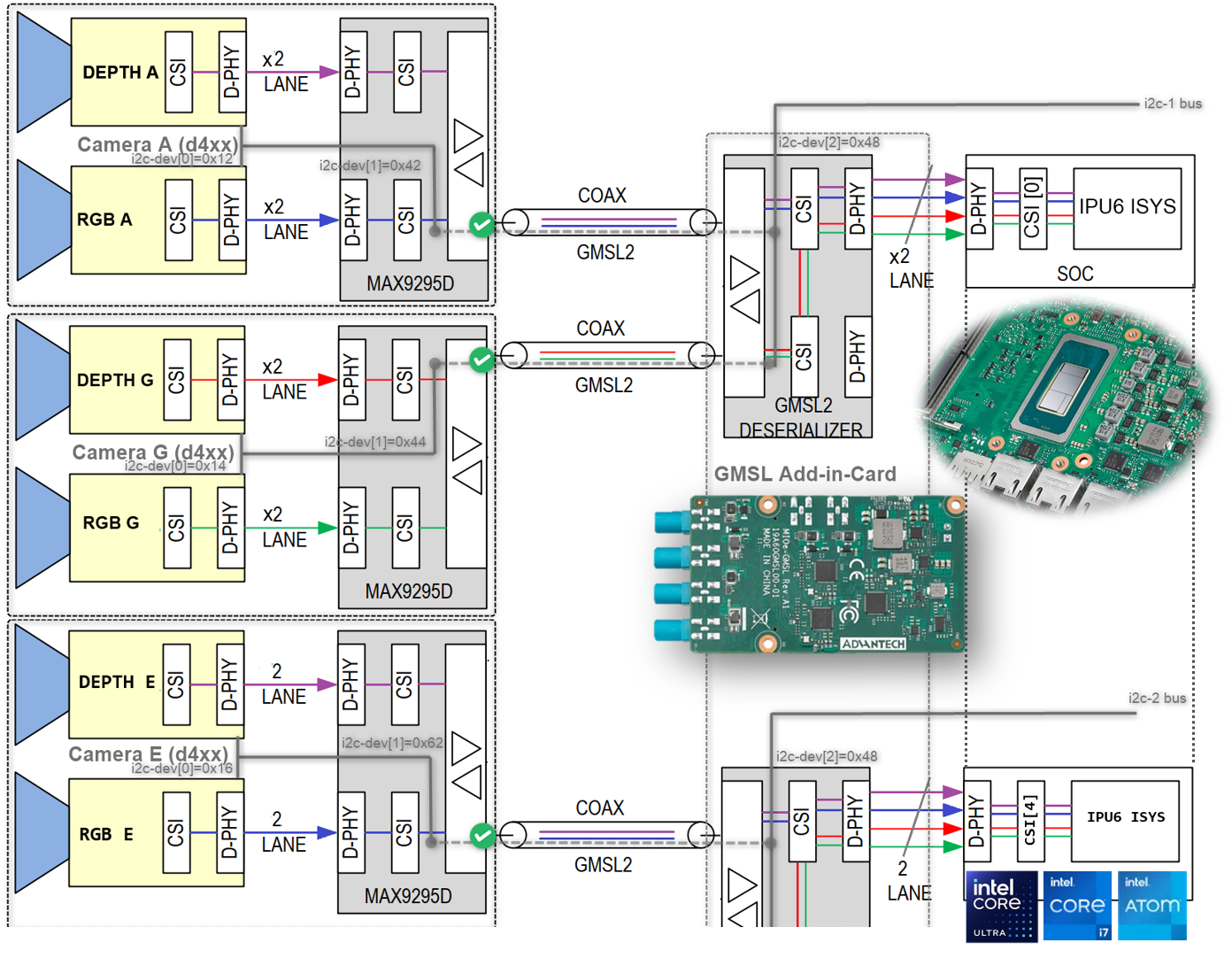
More details are available in the Mobile Industry Processor Interface (MIPI) Camera Serial Interface (CSI) Gigabit Multimedia Serial Link (GMSL) Add-in Card (AIC) Schematic.
How To Detect in I2C Bus to GMSL2 Deserializer and Serializer ACPI Devices Mapping#
The best way to detect I2C bus to GMSL2 Deserializer and Serializer ACPI devices mapping is by using the i2cdetect command-line tool from the i2c-tools package on Linux.
i2cdetect -y <i2c_bus_number>
Here, <i2c_bus_number> is the I2C bus number assigned to GMSL2 Deserializer and Serializer ACPI devices.
Below is an example output from i2cdetect for GMSL2 Deserializer and Serializer ACPI devices mapping:
i2cdetect -r -y 0 0x20 0x6f
       0  1  2  3  4  5  6  7  8  9  a  b  c  d  e  f
  00:
  10:             -- -- -- -- -- -- 1a -- -- -- -- --
  20: -- -- -- -- -- -- -- 27 -- -- -- -- -- -- -- --
  30: -- -- -- -- -- -- -- -- -- -- -- -- -- -- -- --
  40: 40 -- -- -- -- -- -- -- -- -- -- -- -- -- -- --
  50: -- -- -- -- 54 -- -- -- -- -- -- -- 5c -- -- --
  60: -- -- -- -- -- -- -- -- -- -- -- -- -- -- -- --
  70:
i2cdetect -r -y 1 0x20 0x6f
      0  1  2  3  4  5  6  7  8  9  a  b  c  d  e  f
  00:
  10:             -- -- -- -- -- -- -- -- -- -- -- --
  20: -- -- -- -- -- -- -- -- -- -- -- -- -- -- -- --
  30: -- -- -- -- -- -- -- -- -- -- -- -- -- -- -- --
  40: -- -- -- -- -- -- -- -- -- -- -- -- -- -- -- --
  50: -- -- -- -- -- -- -- -- -- -- -- -- -- -- -- --
  60: -- -- -- -- -- -- -- -- -- -- -- -- -- -- -- --
  70:
As you can see, the sample devices are on I2C bus 0 at addresses 0x1a, 0x27, 0x40, and 0x54, corresponding to the GMSL2 Deserializer and Serializer ACPI devices configured on the system.
GMSL2 Driver#
Prerequisites for the GMSL driver can be found in the Get Started Guide.
Install the GMSL driver by running the following command:
sudo apt-get update
sudo apt-get install intel-mipi-gmsl-dkms
Select the max929x or max967xx deserializer to compile the required Linux V4L2 I2C sensor driver.
Reboot the system and enter BIOS/UEFI settings. Navigate to the ACPI configuration section and verify that the GMSL SerDes device is listed and enabled. If it is not present, update the system firmware or consult the hardware vendor.
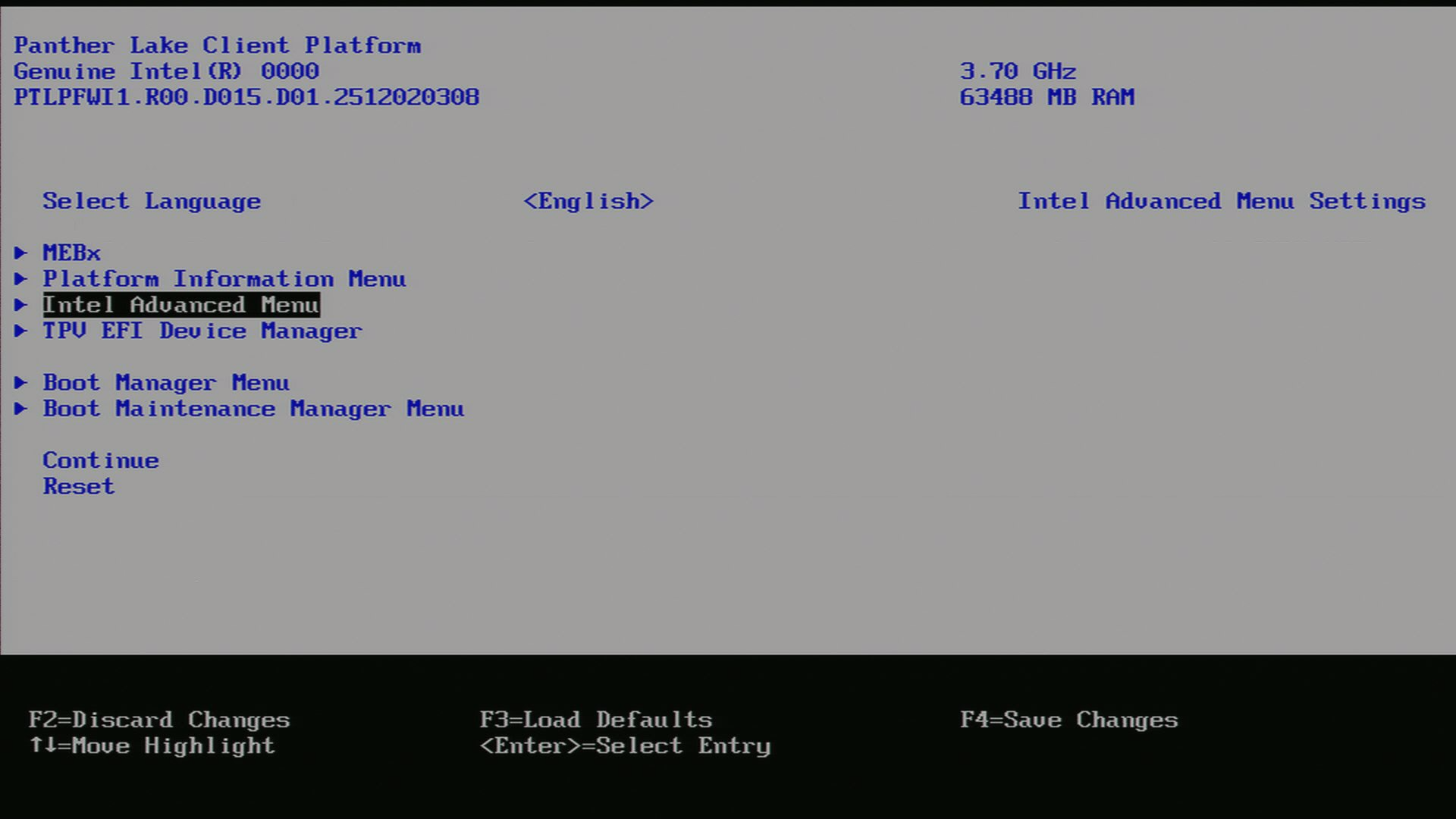
Go into UEFI Advanced settings.
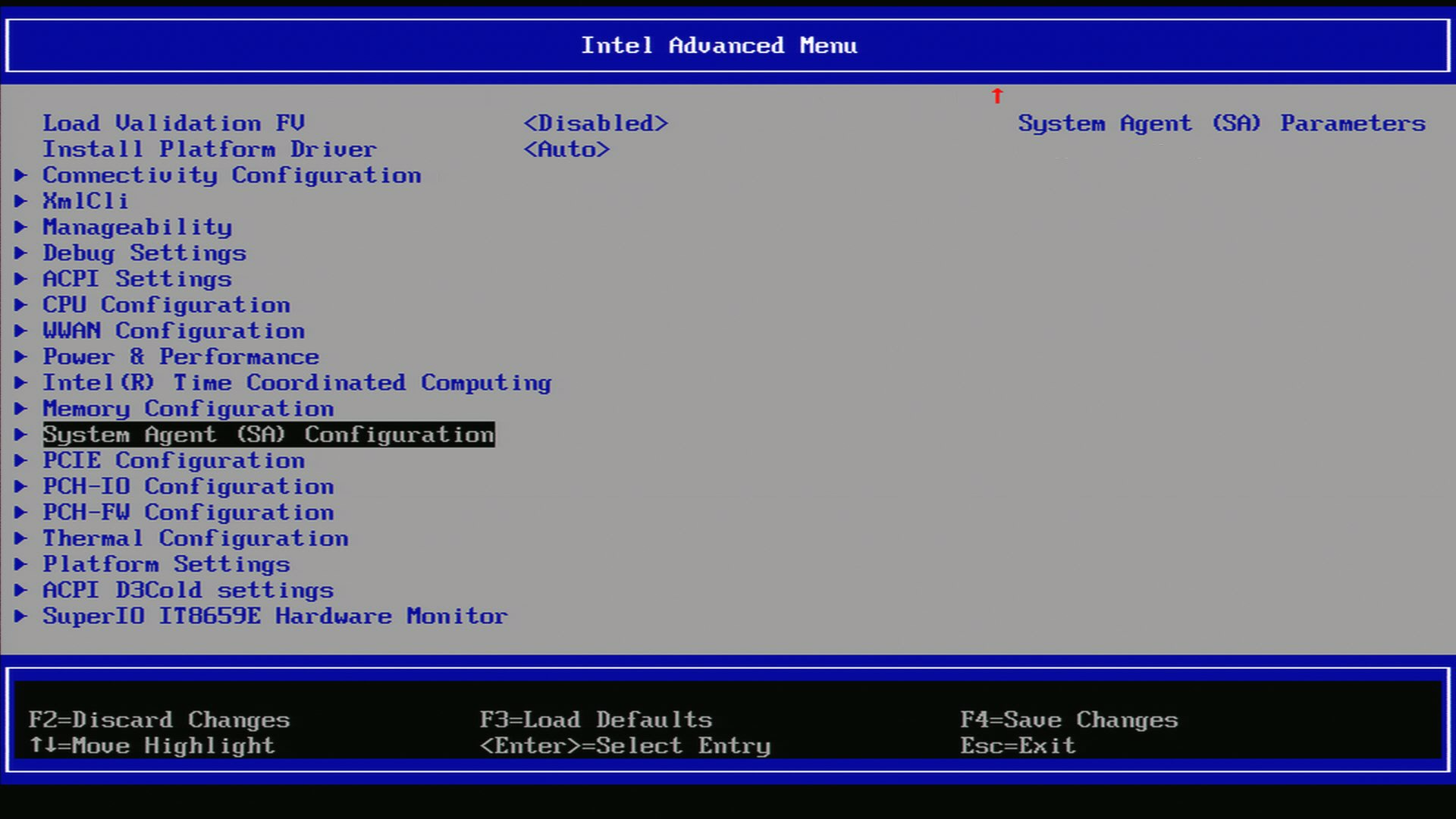
Navigate to System Agent (SA).
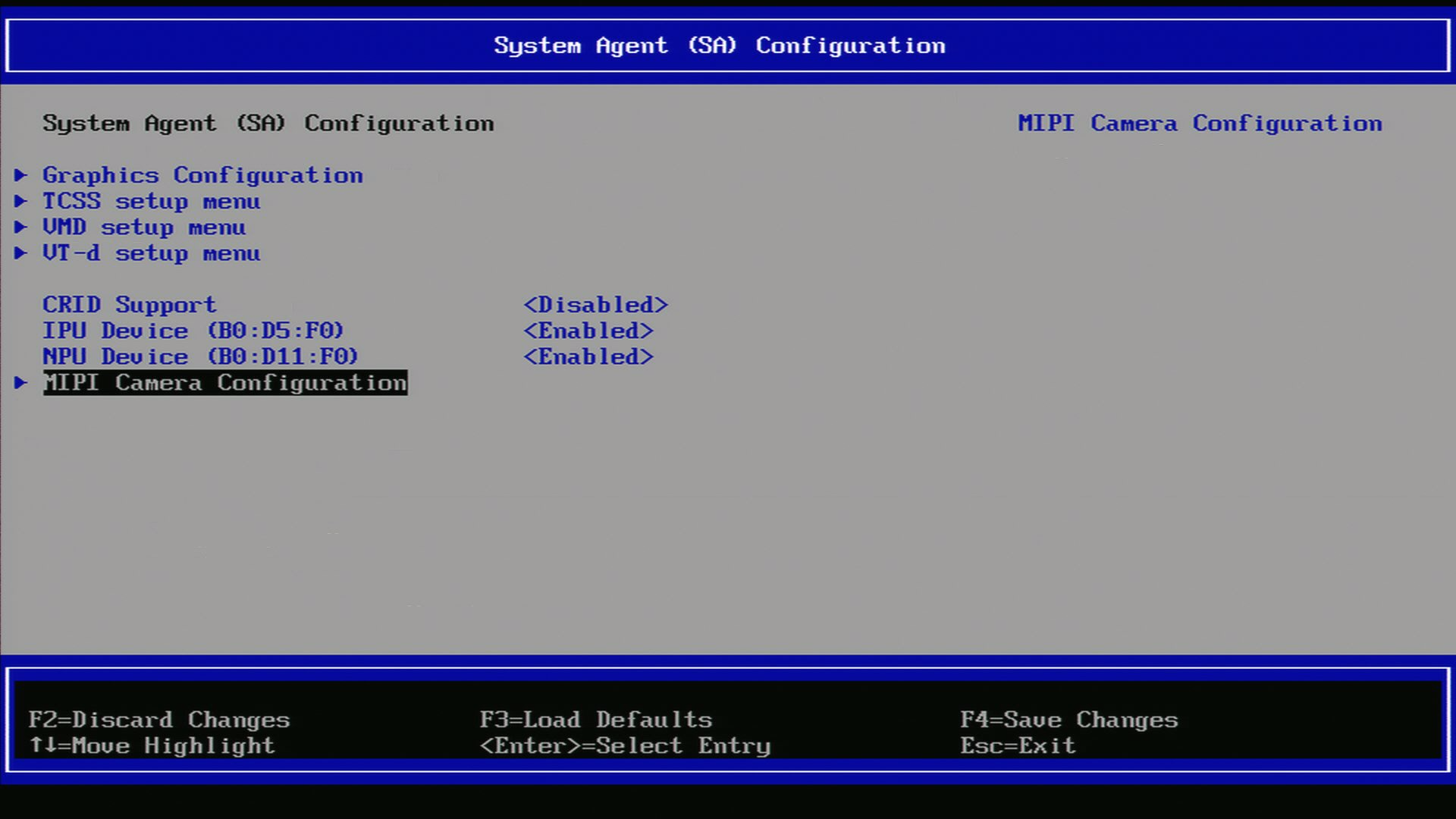
Navigate to MIPI Configuration.
Ensure GMSL SerDes is enabled.
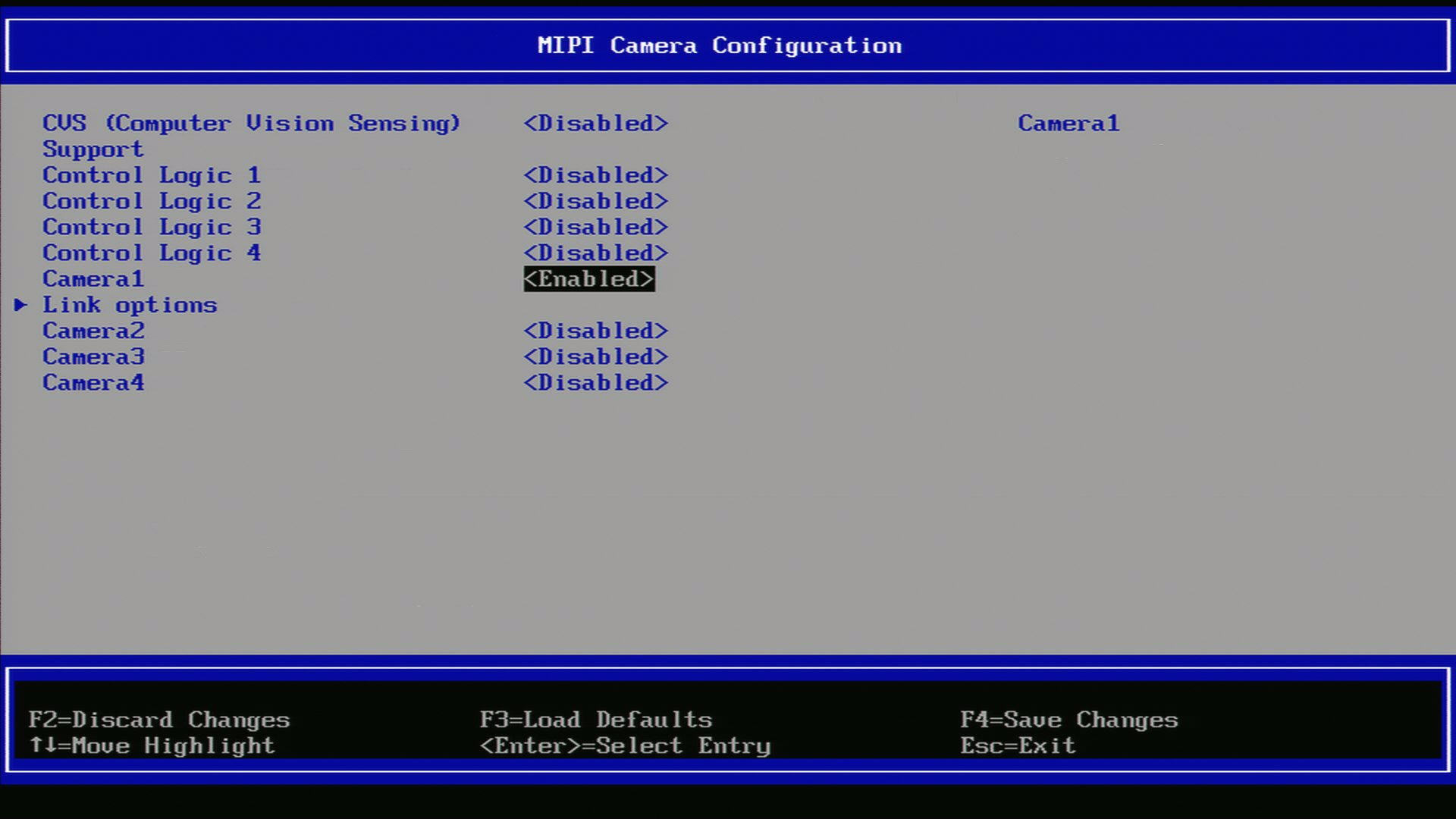
After enabling the GMSL SerDes device in UEFI, click link options to adjust the settings for the GMSL SerDes link.
Boot the system into the OS.