Apply an OS Update Policy#
OS Update Policy is an invntory resource that allows you to manage OS updates for edge nodes running either mutable or immutable operating systems.
Note
It must be associated with edge node instances to enable OS updates during scheduled maintenance windows, except when only updating existing mutable OS packages to their latest available versions listed in host details view - the Updates tab.
This section assumes you have provisioned and configured an edge node with an OS profile using a mutable or immutable image, such as Ubuntu OS 22.04 or the Edge Microvisor Toolkit OS. The procedure described here works for edge nodes provisioned and configured with both mutable and immutable operating systems, however during creation of the OS Update Policy, ensure to select the appropriate OS Type. Based on the selected OS Type, the relevant options will be enabled for update configuration.
OS Update Policy Types#
Two kinds of OS Update Policies are available:
a policy that updates to the latest available OS image version (Update to Latest) - supported only for the immutable OS.
a policy that updates to a specific OS image version (Update to Target) - supported for both mutable and immutable OSes.
OS Update Policy Fields#
The OS Update Policy contains the following fields:
Name - The name of the OS Update Policy.
Description - A description of the OS Update Policy.
OS Type - The type of operating system (mutable or immutable).
Update Policy - The type of update policy (UPDATE_POLICY_LATEST or UPDATE_POLICY_TARGET).
Update Kernel Command - (Optional) Kernel command-line parameters to be added during the update.
Update Packages - (Optional, mutable OS only) New Debian packages to be installed on the edge nodes as part of the update process.
APT Sources - (Optional, mutable OS only) New APT sources from which the new packages will be installed.
Target OS - (Immutable OS only, target update policy) The target OS image version to which the edge nodes will be updated.
Note
For immutable OS, updating the OS cannot be performed together with updating the kernel command; these require separate OS Update Policies and separately scheduled updates.
OS Update Policy Types Details#
For mutable OS updates the UPDATE_POLICY_TARGET OS Update Policy allows for:
updating only current installed packages to their latest available versions.
specifying new Debian packages to be installed on the edge nodes as part of the update process.
adding new APT sources from which the new packages will be installed.
updating kernel command-line parameters.
Note
For more information on how to install new packages and configure APT sources, see Install a New Debian* Package on Mutable OS.
For immutable OS updates the UPDATE_POLICY_TARGET OS Update Policy allows for:
specifying the target OS image version to which the edge nodes will be updated
updating kernel command-line parameters.
Note
For immutable OS, updating the OS cannot be performed together with updating the kernel command; these require separate OS Update Policies and separately scheduled updates.
For immutable OS updates, the UPDATE_POLICY_LATEST OS Update Policy allows for:
updating to the latest available OS image version.
Note
The UPDATE_POLICY_LATEST OS Update Policy is supported only for the immutable OS.
Create OS Update Policy and Link it to Host Using Orch CLI#
Set up the Orch CLI tool as in Orch CLI User Guide.
Create a yaml file with the OS Update Policy configuration.
See the following examples of OS Update Policy configuration for mutable and immutable OS:
appVersion: apps/v1
spec:
    name: "policy1"
    description: "mutable OS update"
    updatePolicy: "UPDATE_POLICY_TARGET"
    updateKernelCommand: "hugepages=2"
    updatePackages: "tree"
appVersion: apps/v1
spec:
    name: "policy2"
    description: "immutable OS update- target OS"
    updatePolicy: "UPDATE_POLICY_TARGET"
    targetOs: "os-aef16d62"
appVersion: apps/v1
spec:
    name: "policy3"
    description: "immutable OS update - latest OS"
    updatePolicy: "UPDATE_POLICY_LATEST"
appVersion: apps/v1
spec:
    name: "policy4"
    description: "immutable OS kernel command update"
    updatePolicy: "UPDATE_POLICY_TARGET"
    updateKernelCommand: "hugepages=2"
Create the OS Update Policy using the crated yaml file, and locate its resource ID.
orch-cli create osupdatepolicy ./policy1.yaml
orch-cli list osupdatepolicy
Locate the resource ID of your host and link your OS Update Policy with it.
orch-cli list host
orch-cli set host <host-resource-id> -u <os-update-policy-resource-id>
Create OS Update Policy and Link it to Host using Web UI#
Select the OS Update Policy Type#
Within the Web UI navigate to configuration section and open the OS Update Policy page.
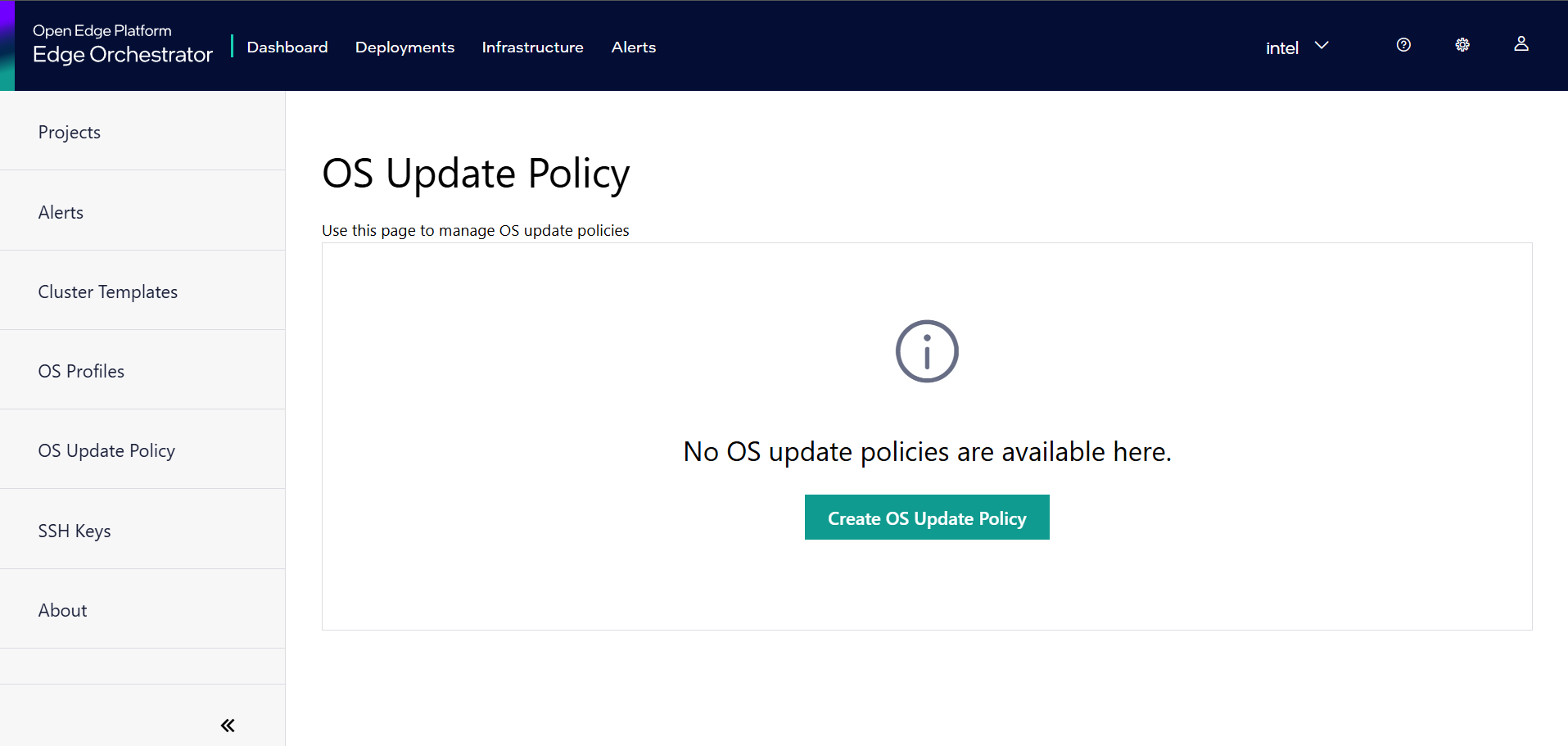
Click on the Create OS Update Policy button to open the Create OS Update Policy form.
OS Update Policy contains fields specific to mutable OS update and Immutable OS update. Choose the OS type accordingly.
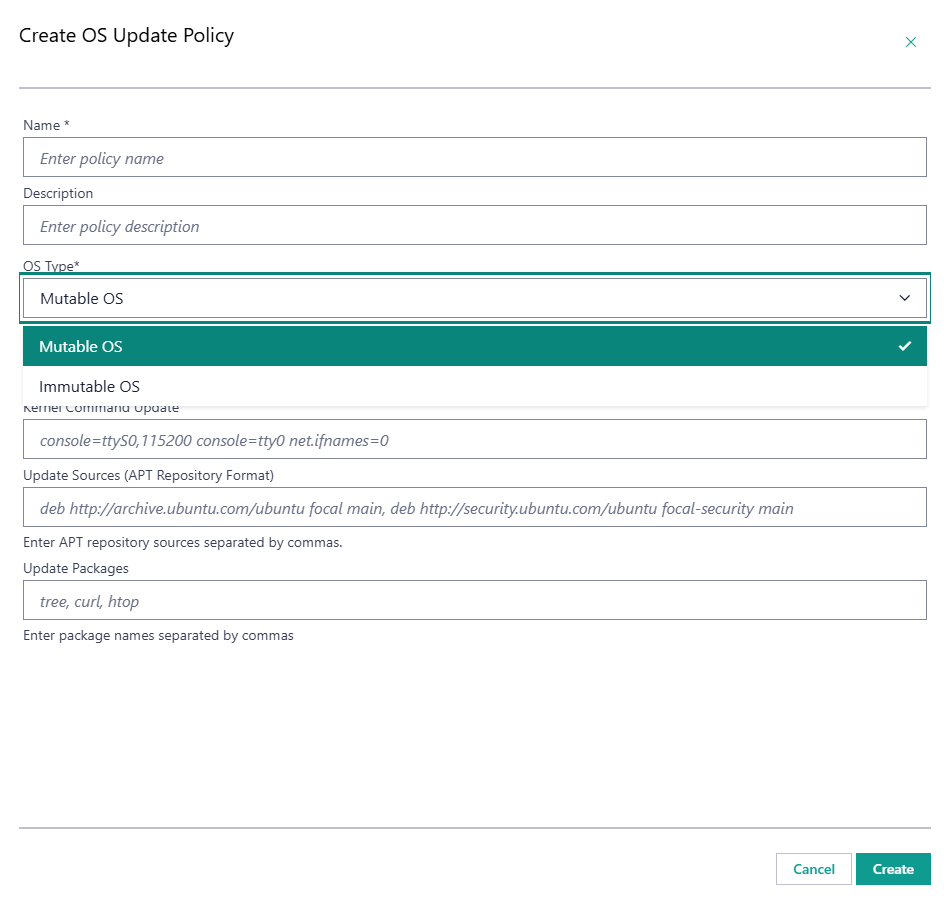
If selected OS type is immutable, choose the OS Update Policy type: Update To Target or Update To Latest.
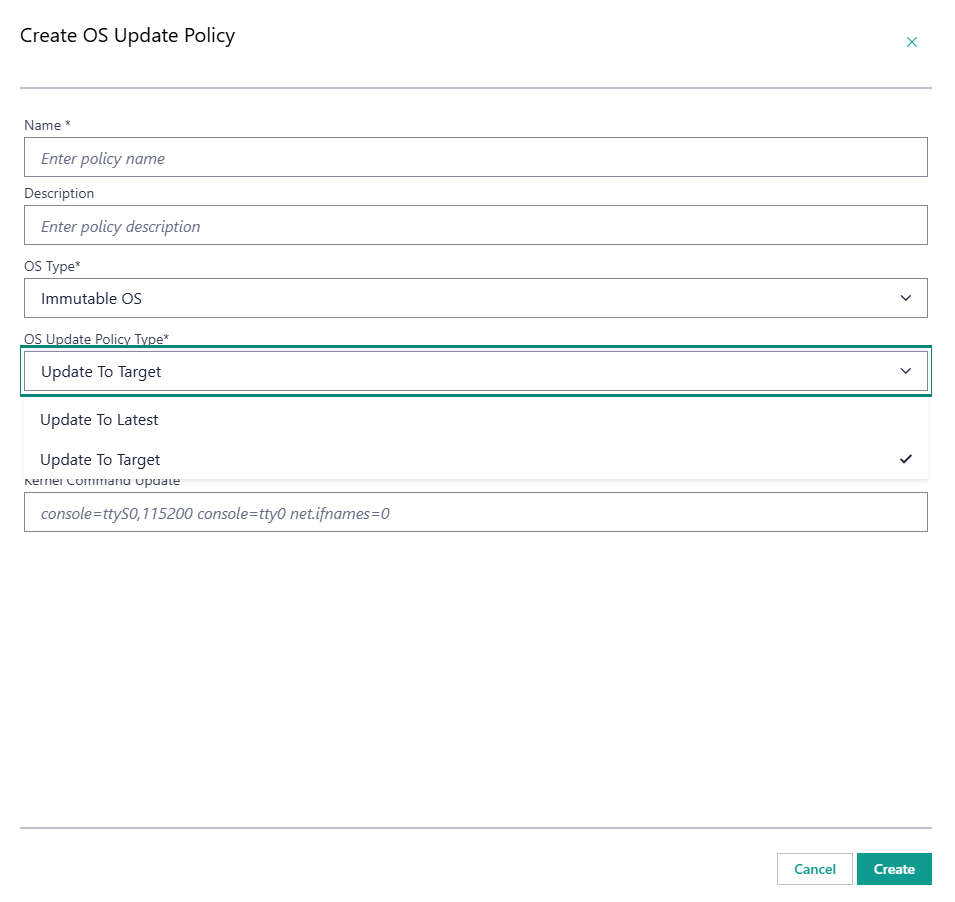
Provide Update Details#
Following the selection of OS Update Policy type, provide the relevant update details as described below. The following are examples of available configurations of OS Update Policies. Once the relevant fields are filled, hit the Create button to create the OS Update Policy.
Example 1#
Mutable OS - OS update, no kernel command update and no new packages installation.
Note
No OS Update Policy is needed.
Example 2#
Mutable OS - OS update and new packages installation.
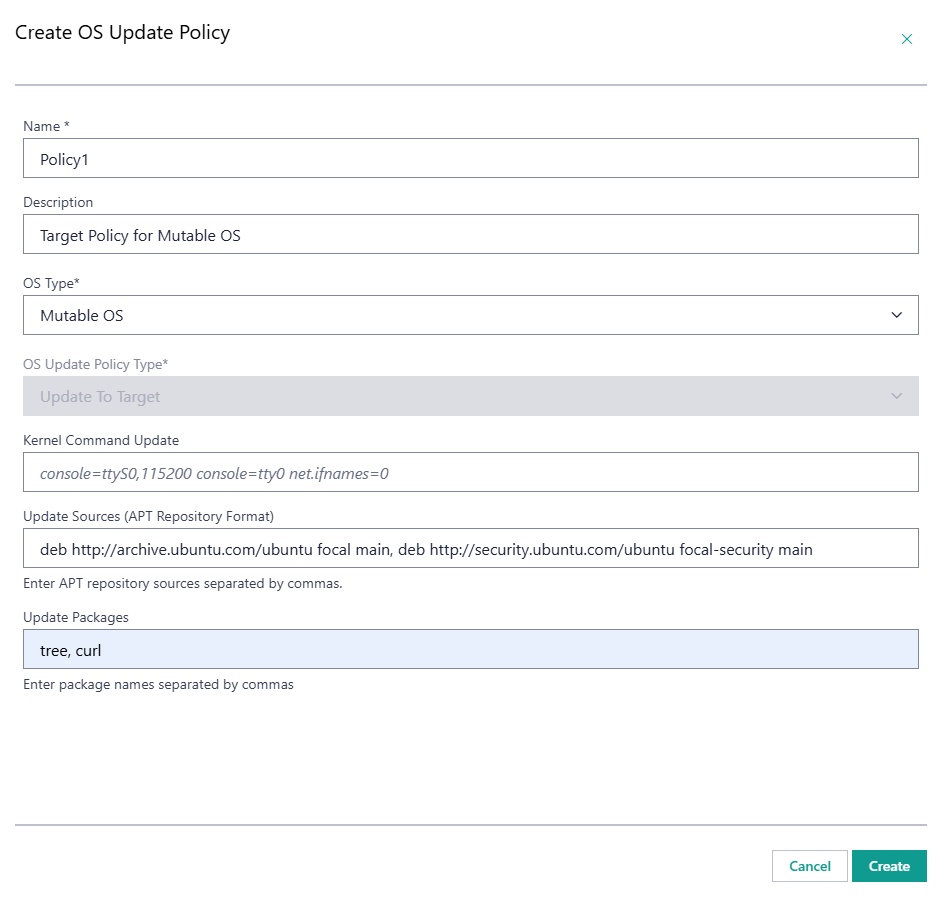
Example 3#
Mutable OS - OS update, new packages and kernel command update.
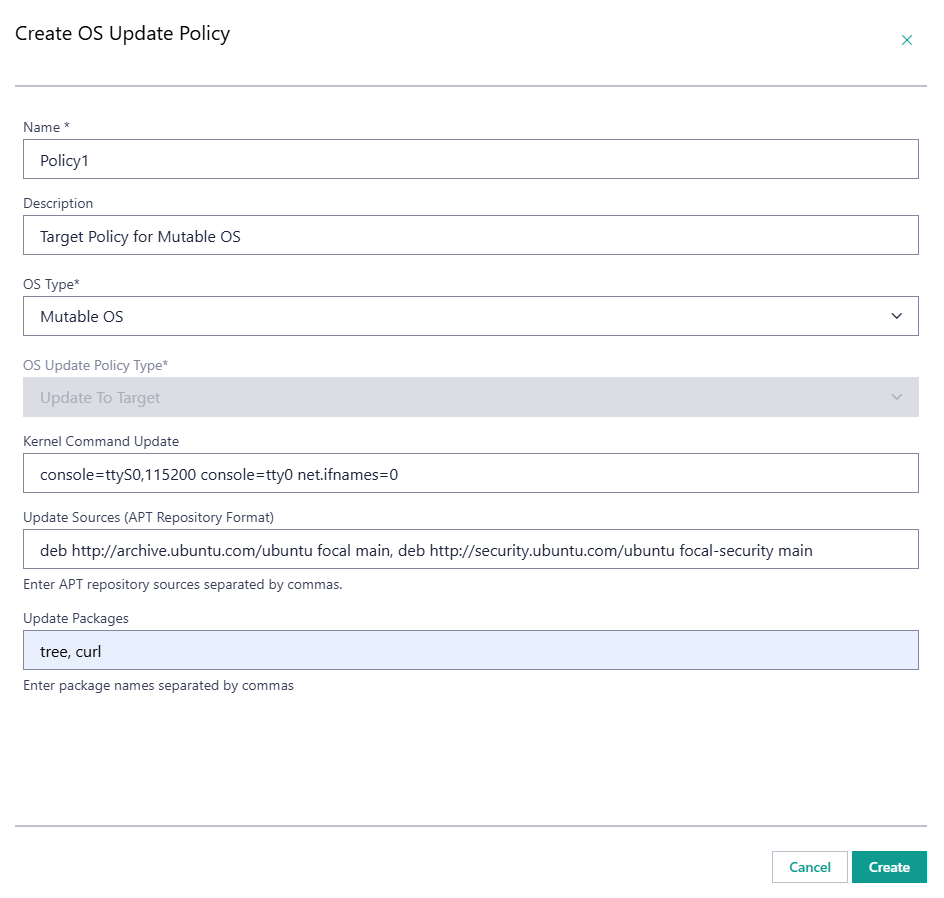
Example 4#
Immutable OS - update to a specific OS version.
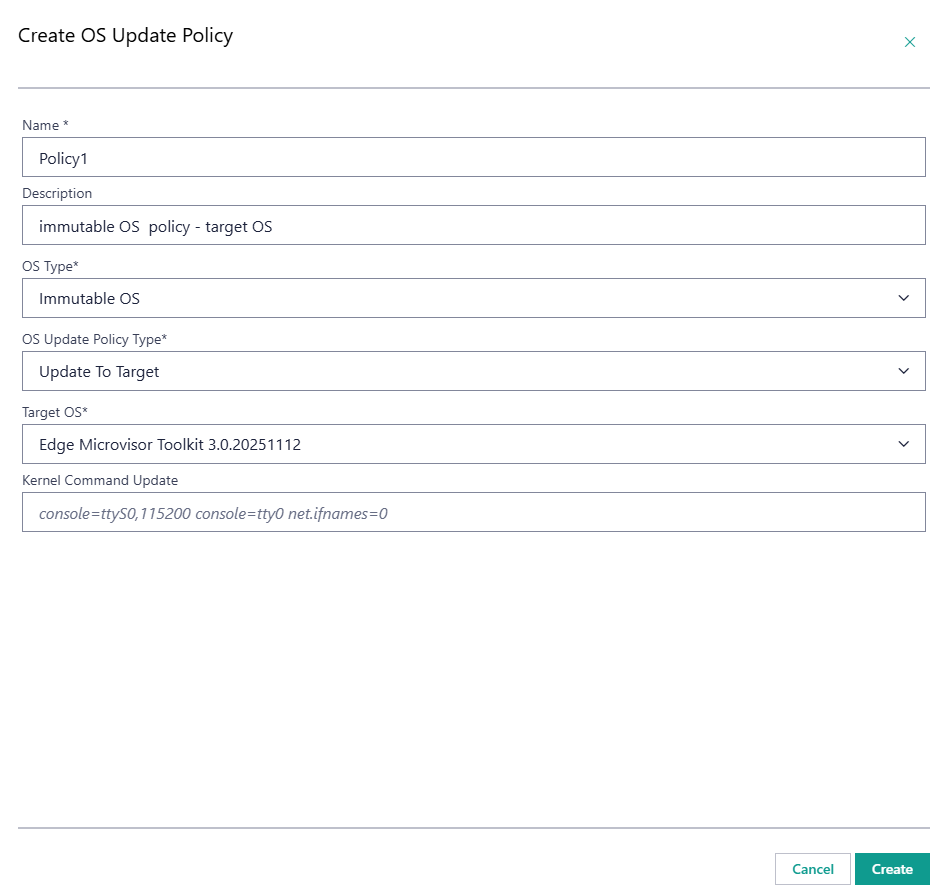
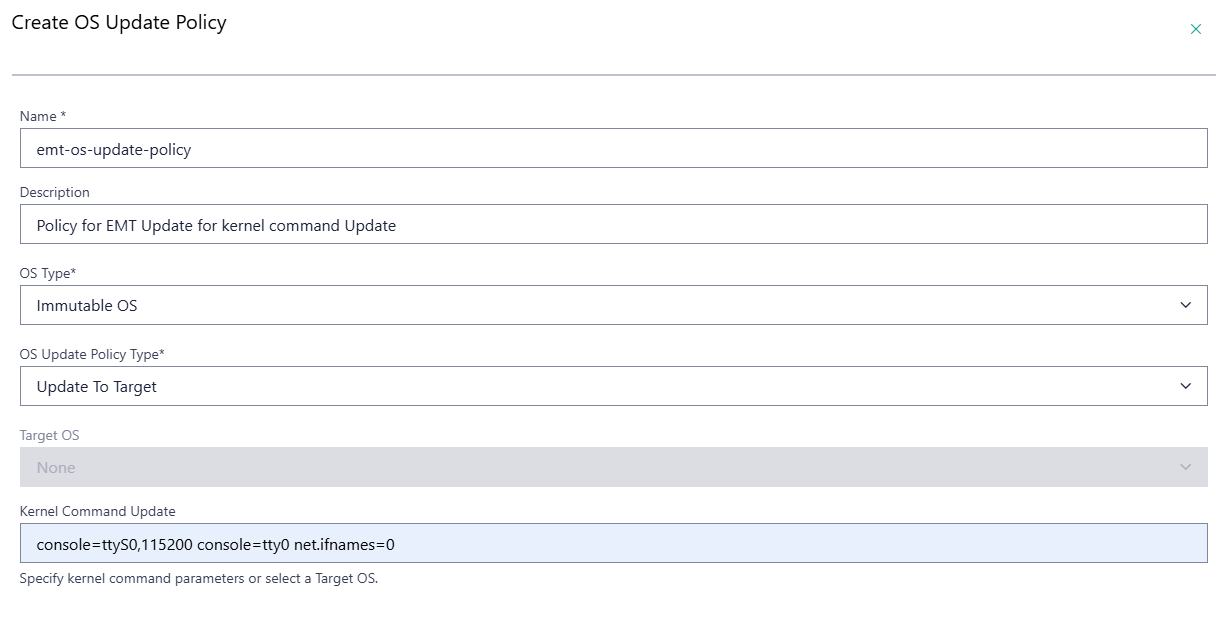
Example 5#
Immutable OS - kernel command update.
Note
For immutable OS, kernel command updates can only be applied when Secure Boot is disabled.
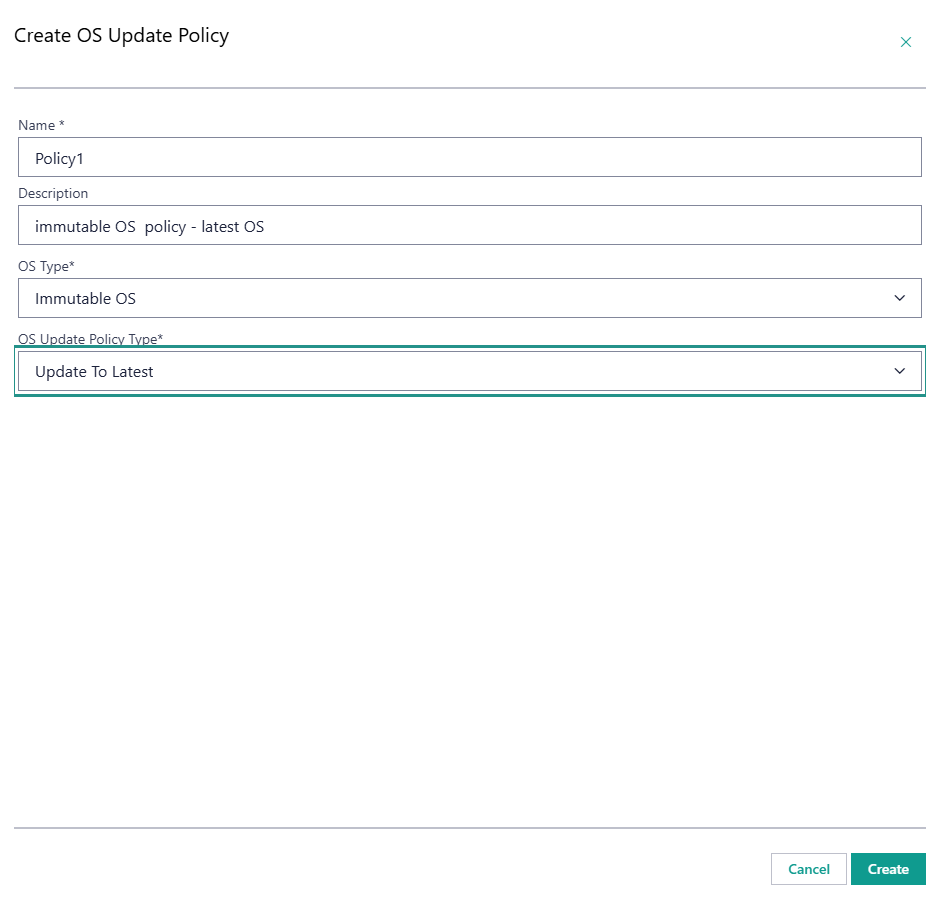
Example 6#
Immutable OS - update to the latest OS version.
Note
For immutable OS, updating the OS cannot be performed together with updating the kernel command; these require separate OS Update Policies and separately scheduled updates.
Associate the OS Update Policy with Hosts#
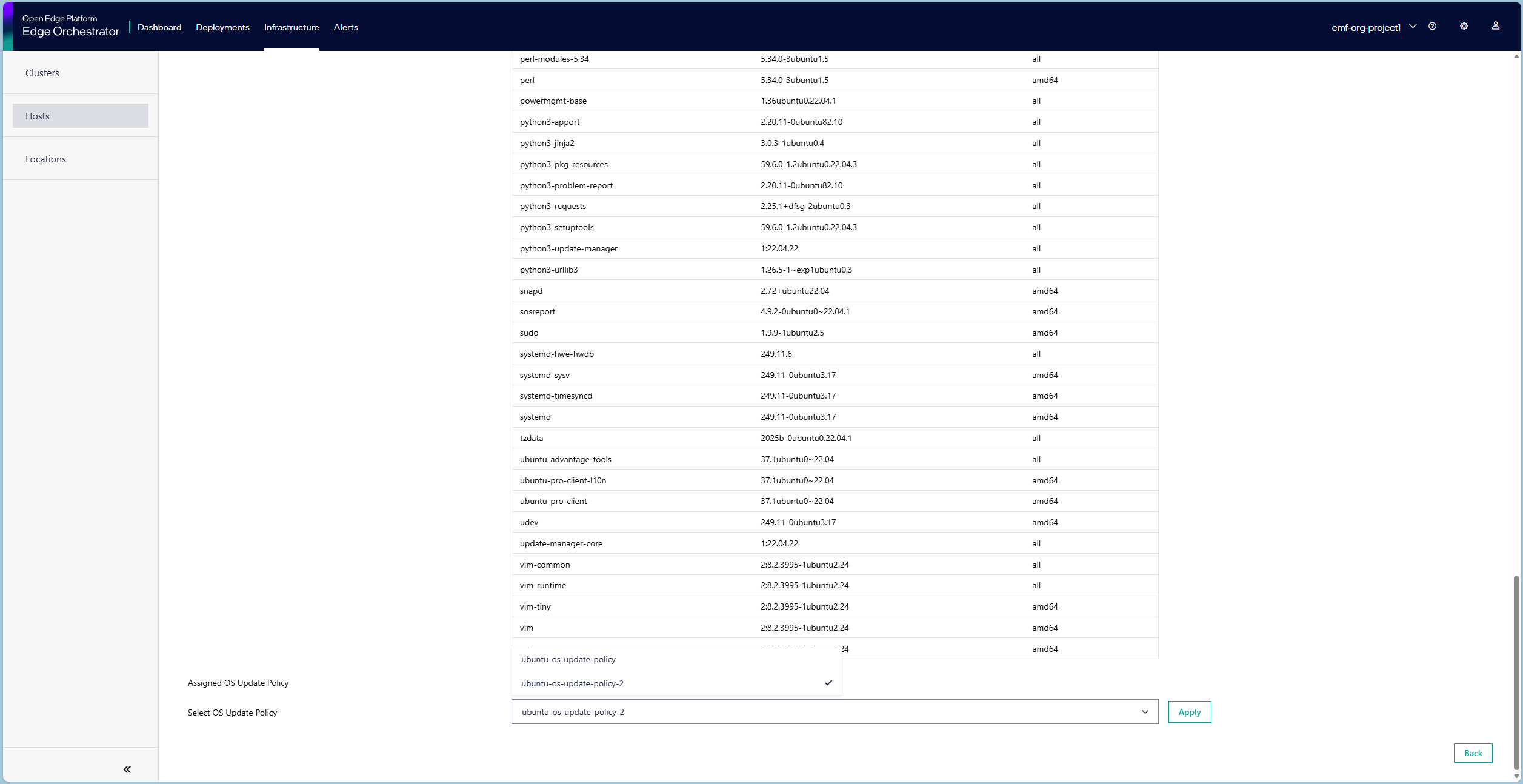
Within the Web UI, navigate to the Hosts page, open the desired Host details page, and select Updates tab. Here, set applied policy by selecting the created OS Update Policy from the OS Update Policy drop-down list. The newly added packages will be installed on all the edge nodes that are configured with the given OS Update Policy if a maintenance window is scheduled for that edge node.
Scheduling an OS Update#
Upon successful creation and assignment of an OS Update Policy, a new update can be scheduled following the steps described in the Schedule Maintenance for Configured and Active Hosts section. Note that if no OS Update Policy is assigned to the host before the update is expected to start - the edge node update will not start, and no status change will be reported.
OS Update Policy Assignment Considerations#
An OS Update Policy that is assigned to a host, or has been used in any past update for an existing host, cannot be deleted. The Web UI does not support editing OS Update Policies. To change a policy, create a new OS Update Policy with the desired configuration and assign it to the host.