Getting Started Guide - UAV Mission Compute SDK#
Overview#
The UAV Mission Compute SDK provides a comprehensive development environment for UAV (Uncrewed Aerial Vehicle) applications using Intel’s optimized compute tools and frameworks. It packages a PX4 + Gazebo simulation with multi-camera support, OpenVINO-based vision processing on Intel GPU, MQTT telemetry, and RTSP streaming — all orchestrated via Docker Compose.
Learning Objectives#
Upon completion of this guide, you will be able to:
Install and configure the UAV Mission Compute SDK
Launch the PX4 simulation stack with simulated cameras
Start the AI vision processing pipeline
View live RTSP camera streams with Intel Edge AI inference
System Requirements#
Verify that your development environment meets the following specifications:
Operating System: Ubuntu 24.04 LTS (provisioned using Edge-Node Infrastructure Blueprint)
Memory: Minimum 16GB RAM (32GB recommended)
Storage: 100GB available disk space
Network: Active internet connection for package downloads
Hardware: Intel Core Ultra Series 3 (Panther Lake) processor with integrated GPU recommended
Installation Process#
Execute the automated installation script to configure the complete development environment:
curl -fsS https://raw.githubusercontent.com/open-edge-platform/edge-ai-suites/refs/heads/main/metro-ai-suite/metro-sdk-manager/scripts/uav-mission-compute-sdk.sh | bash
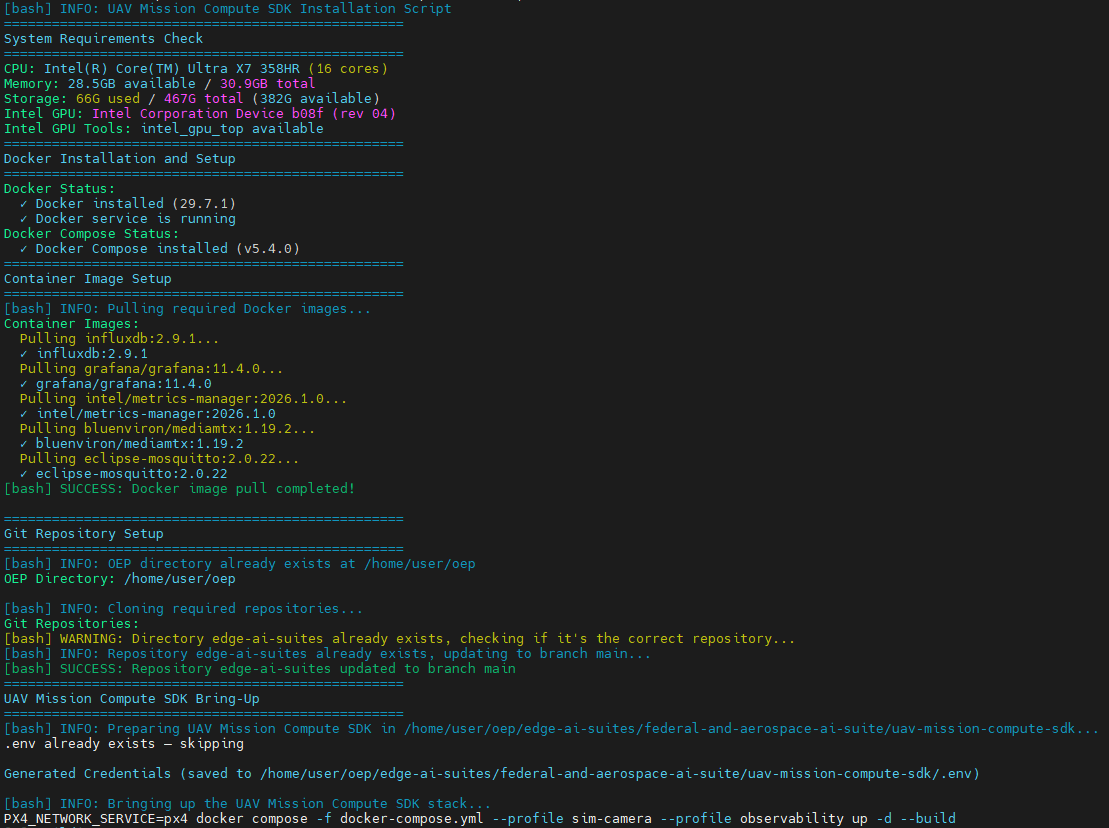
The installation process configures the following components:
Docker containerization platform
PX4 autopilot simulation with Gazebo Harmonic
Multi-camera bridge (nadir, forward, rear at 416×416 @20fps)
Companion telemetry bridge (MAVLink → MQTT)
MQTT broker and MediaMTX RTSP server
InfluxDB time-series storage and Grafana dashboards
Metrics manager for host platform monitoring
OpenVINO-based vision processor (YOLOv2 on Intel GPU)
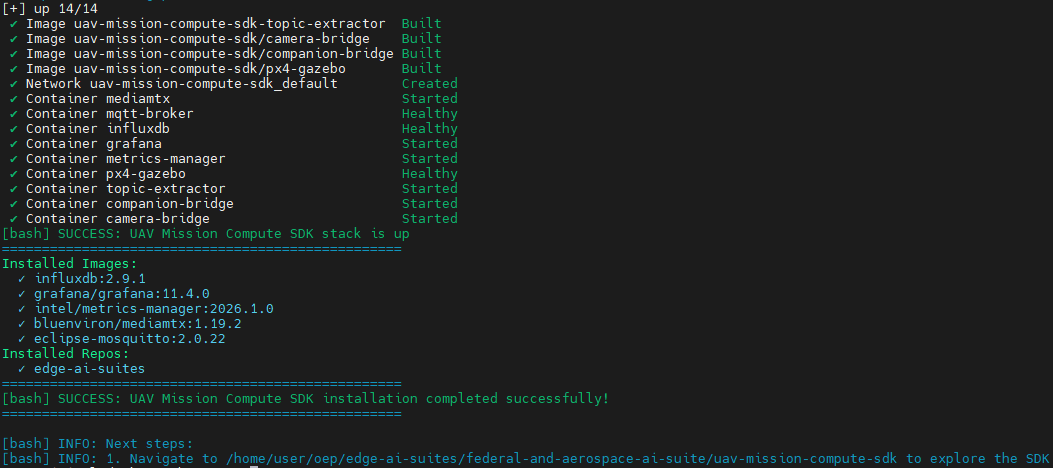
Once the script completes, the full stack is built and running:
UAV Mission Compute SDK Application Setup#
This section describes how to verify and interact with the running application.
Step 1: Wait for PX4 to Be Healthy#
The installation script starts the simulation stack automatically. Wait for PX4 to become healthy (~60–90 seconds on first boot):
cd ~/oep/edge-ai-suites/federal-and-aerospace-ai-suite/uav-mission-compute-sdk
docker compose ps px4
Step 2: Arm the UAV (Activate Cameras) and takeoff#
Cameras only stream when the UAV is armed. Arm it via the REST API:
curl -X POST http://localhost:8080/action/arm
curl -X POST http://localhost:8080/action/takeoff
Step 3: Capture the Video Stream (Optional)#
Record the UAV camera stream to disk with ffmpeg:
# Records a footage for 10 seconds and saves to nadir.mkv
ffmpeg -rtsp_transport tcp -i rtsp://localhost:8554/uav-1/nadir -t 10 -c:v copy nadir.mkv
To preview the live stream instead of recording (if not on a headless system):
ffplay rtsp://localhost:8554/uav-1/nadir
Step 4: Stop the Application#
To stop the entire infrastructure stack:
make down
Technology Framework Overview#
UAV Mission Compute SDK Components#
The UAV Mission Compute SDK integrates multiple technologies:
PX4 + Gazebo Harmonic: Flight controller simulation with multi-camera world
Companion Bridge: MAVLink ↔ MQTT telemetry bridge
Camera Bridge: Gazebo frames → H264 → RTSP via MediaMTX
OpenVINO Vision Processor: Real-time YOLOv2 vehicle detection on Intel GPU
MQTT Broker (Mosquitto): Lightweight messaging for telemetry and detections
InfluxDB + Grafana: Time-series storage and dashboards for flight and platform metrics
Next Steps#
After installation completes:
Navigate to
$HOME/oep/edge-ai-suites/federal-and-aerospace-ai-suite/uav-mission-compute-sdk/to explore the SDKReview the Get Started section for USB camera setup and advanced configuration
Access Grafana dashboards at http://localhost:3000 (admin/admin)
Explore the REST API at http://localhost:8080 for flight control commands
Additional Resources#
Technical Documentation#
OpenVINO - Intel’s cross-platform inference optimization toolkit
Edge AI Libraries - Comprehensive development toolkit documentation and API references
Edge AI Suites - Complete application suite documentation with implementation examples
Support Channels#
GitHub Issues - Technical issue tracking and community support