ITS Path Planner ROS 2 Navigation Plugin#
Intelligent Sampling and Two-Way Search (ITS) global path planner is an Intel® patented algorithm.
The ITS Plugin for the ROS 2 Navigation 2 application plugin is a global path planner module that is based on Intelligent sampling and Two-way Search (ITS).
ITS is a new search approach based on two-way path planning and intelligent sampling, which reduces the compute time by about 20x-30x on a 1000 nodes map comparing with the A* search algorithm. The inputs are the 2D occupancy grid map, the robot position, and the goal position.
It does not support continuous replanning.
Prerequisites: Use a simple behavior tree with a compute path to pose and a follow path.
ITS planner inputs:
global 2D costmap (
nav2_costmap_2d::Costmap2D)start and goal pose (
geometry_msgs::msg::PoseStamped)
ITS planner outputs: 2D waypoints of the path
Path planning steps summary:
The ITS planner converts the 2D costmap to either a Probabilistic Road Map (PRM) or a Deterministic Road Map (DRM).
The generated roadmap is saved as a txt file which can be reused for multiple inquiries.
The ITS planner conducts a two-way search to find a path from the source to the destination. Either the smoothing filter or a catmull spline interpolation can be used to create a smooth and continuous path. The generated smooth path is in the form of a ROS 2 navigation message type (
nav_msgs::msg).
For customization options, see ITS Path Planner Plugin Customization.
Source Code#
The source code of this component can be found here: ITS-Planner
Getting Started#
Autonomous Mobile Robot provides a ROS 2 Deb package for the application, supported by the following platform:
ROS version: Jazzy, Humble
Prerequisites#
Complete the get started guide before continuing.
Install Deb package#
Install dependencies required to run simulations:
sudo apt install ros-jazzy-turtlebot3-gazebo
sudo apt install ros-humble-turtlebot3-gazebo
Install the ITS Path Planner Deb package from the Intel® Autonomous Mobile Robot APT repository
sudo apt install ros-jazzy-its-planner
sudo apt install ros-humble-its-planner
Run the following script to set environment variables:
source /opt/ros/jazzy/setup.bash
export TURTLEBOT3_MODEL=waffle
export GAZEBO_MODEL_PATH=$GAZEBO_MODEL_PATH:/opt/ros/jazzy/share/turtlebot3_gazebo/models
source /opt/ros/humble/setup.bash
export TURTLEBOT3_MODEL=waffle
export GAZEBO_MODEL_PATH=$GAZEBO_MODEL_PATH:/opt/ros/humble/share/turtlebot3_gazebo/models
To launch the default ITS planner which is based on differential drive robot, run:
ros2 launch its_planner its_differential_launch.py use_sim_time:=true
ros2 launch its_planner its_differential_launch.py use_sim_time:=true
ITS Planner also supports Ackermann steering; to launch the Ackermann ITS planner run:
ros2 launch its_planner its_ackermann_launch.py use_sim_time:=true
ros2 launch its_planner its_ackermann_launch.py use_sim_time:=true
Note:
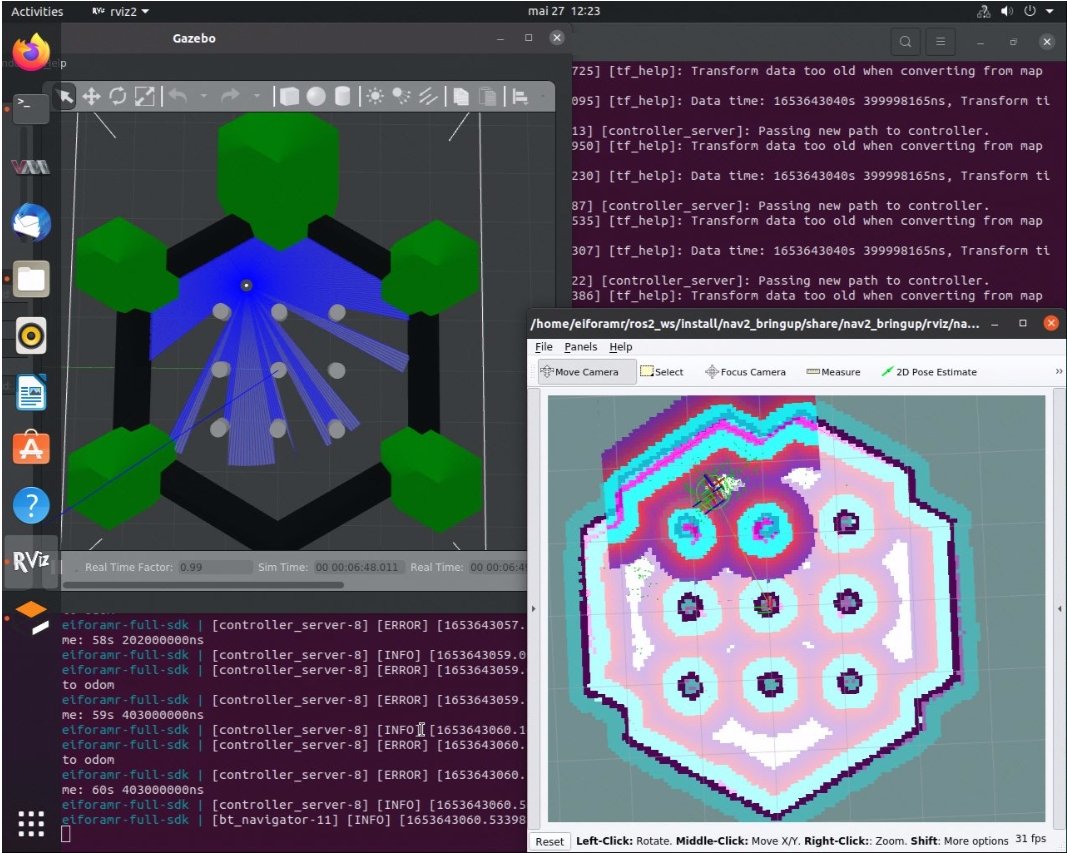
The above command opens Gazebo* and rviz2 applications. Gazebo* takes a longer time to open (up to a minute) depending on the host’s capabilities. Both applications contain the simulated waffle map, and a simulated robot. Initially, the applications are opened in the background, but you can bring them into the foreground, side-by-side, for a better visual.
Set the robot 2D Pose Estimate in rviz2:
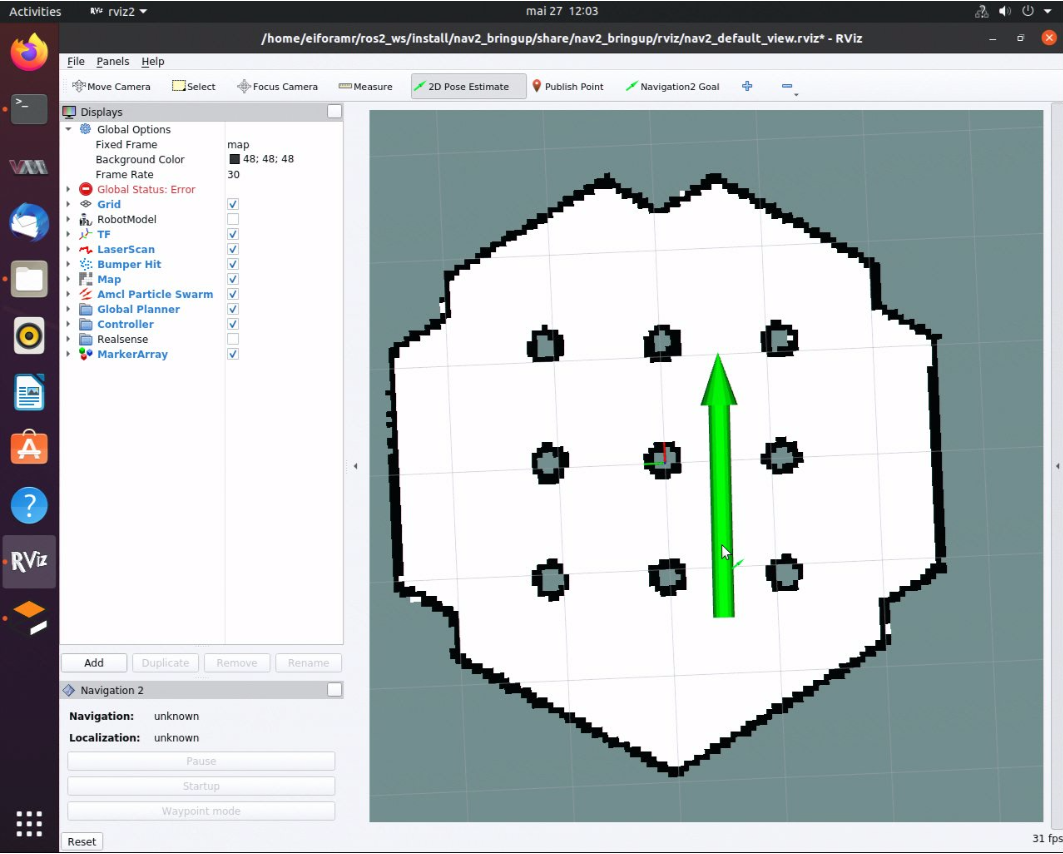
Set the initial robot pose by pressing 2D Pose Estimate in rviz2.
At the robot estimated location, down-click inside the 2D map. For reference, use the robot pose as it appears in Gazebo*.
Set the orientation by dragging forward from the down-click. This also enables ROS 2 navigation.
In rviz2, press Navigation2 Goal, and choose a destination for the robot. This calls the behavioral tree navigator to go to that goal through an action server.
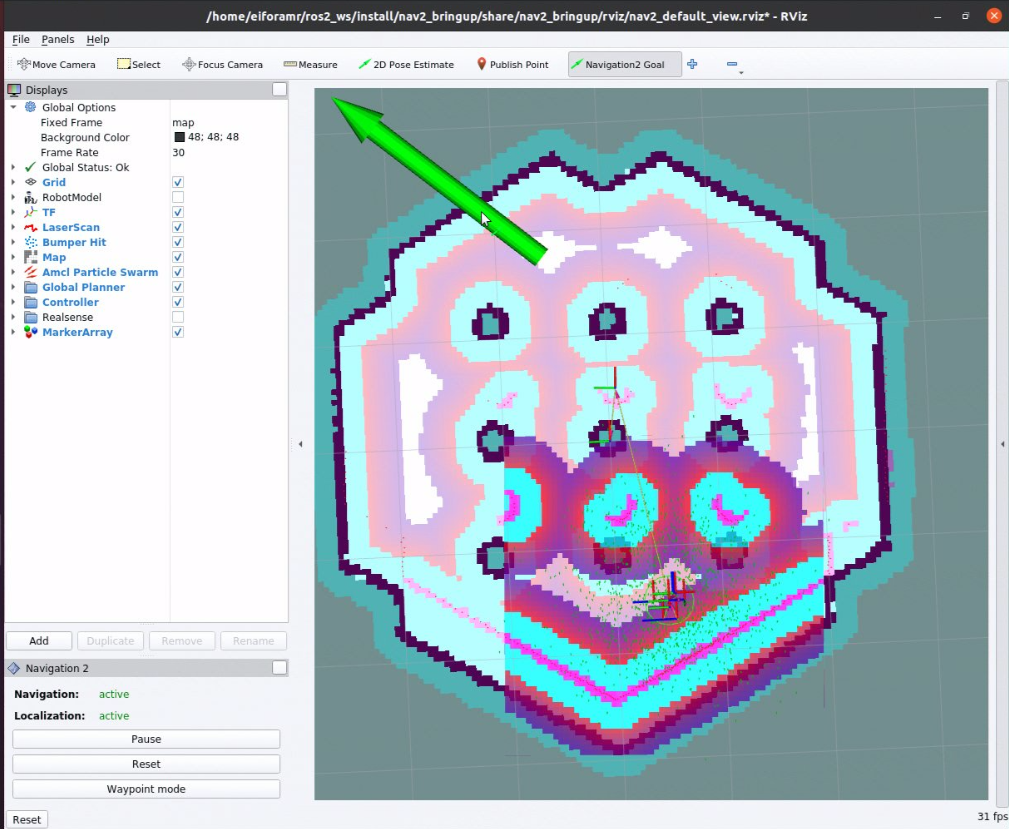
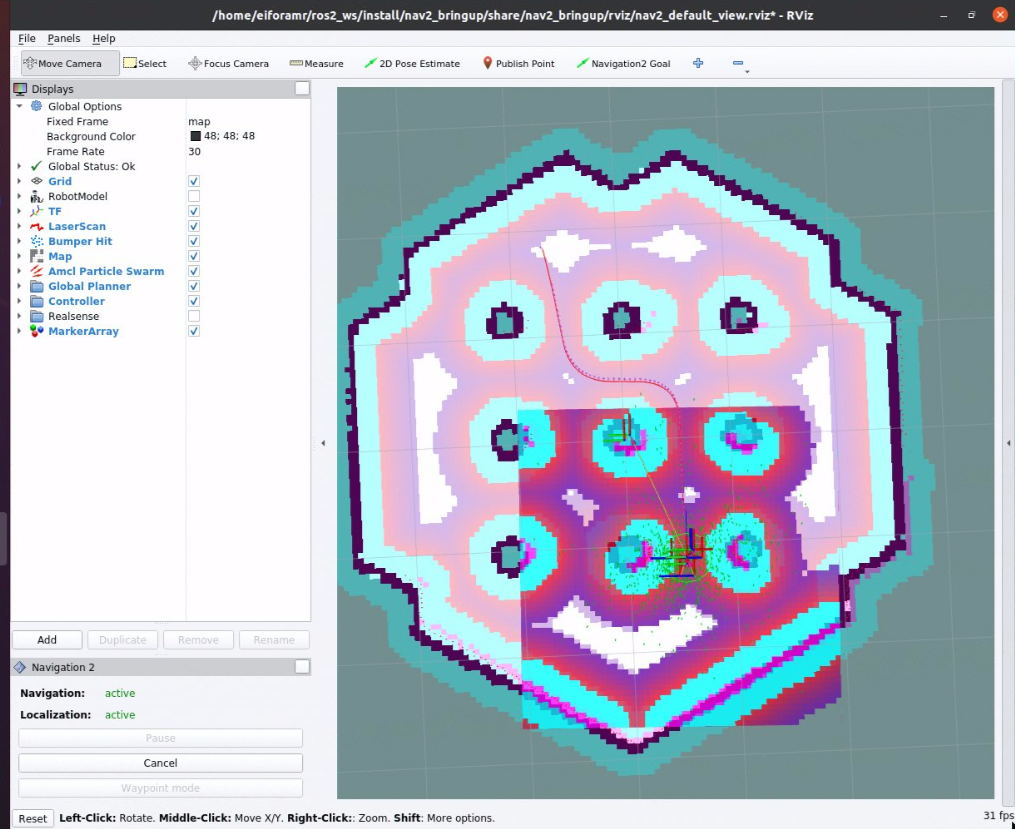
Expected result: The robot moves along the path generated to its new destination.
Set new destinations for the robot, one at a time.
To close this, do the following:
Type
Ctrl-cin the terminal where you did the up command.
ITS Path Planner Plugin Customization#
The ROS 2 navigation bring-up application is started using
the TurtleBot 3 Gazebo simulation
and it receives as input parameter nav2_params_jazzy.yaml.
To use the ITS path planner plugin, the following parameters are added in
nav2_params_jazzy.yaml:
planner_server:
  ros__parameters:
    expected_planner_frequency: 20.0
    use_sim_time: True
    planner_plugins: ["GridBased"]
    costmap_update_timeout: 1.0
    GridBased:
      plugin: "its_planner/ITSPlanner"
      interpolation_resolution: 0.05
      catmull_spline: False
      smoothing_window: 15
      buffer_size: 10
      build_road_map_once: True
      enable_k: False
      min_samples: 250
      roadmap: "PROBABLISTIC"
      w: 32
      h: 32
      n: 2
The ROS 2 navigation bring-up application is started using
the TurtleBot 3 Gazebo simulation
and it receives as input parameter nav2_params_humble.yaml.
To use the ITS path planner plugin, the following parameters are added in
nav2_params_humble.yaml:
planner_server:
  ros__parameters:
    expected_planner_frequency: 0.01
    use_sim_time: True
    planner_plugins: ["GridBased"]
    GridBased:
      plugin: "its_planner/ITSPlanner"
      interpolation_resolution: 0.05
      catmull_spline: False
      smoothing_window: 15
      buffer_size: 10
      build_road_map_once: True
      enable_k: False
      min_samples: 250
      roadmap: "PROBABLISTIC"
      w: 32
      h: 32
      n: 2
ITS Path Planner Plugin Parameters#
catmull_spline:
If true, the generated path from the ITS is interpolated with the catmull spline method; otherwise, a smoothing filter is used to smooth the path.
smoothing_window:
The window size for the smoothing filter (The unit is the grid size.)
buffer_size:
During roadmap generation, the samples are generated away from obstacles. The buffer size dictates how far away from obstacles the roadmap samples should be.
build_road_map_once:
If true, the roadmap is loaded from the saved file; otherwise, a new roadmap is generated.
min_samples:
The minimum number of samples required to generate the roadmap
roadmap:
Either PROBABILISTIC or DETERMINISTIC
w:
The width of the window for intelligent sampling
h:
The height of the window for intelligent sampling
n:
The minimum number of samples that is required in an area defined by w and h.
ITS Path Planner Plugin Parameters modification#
Default ITS Planner#
You can modify plugin parameters by editing the planner_server section
in the configuration file below for the default ITS planner:
/opt/ros/jazzy/share/its_planner/nav2_params_jazzy.yaml
/opt/ros/humble/share/its_planner/nav2_params_humble.yaml
Ackermann ITS Planner#
You can modify plugin parameters by editing the planner_server section
in the configuration file below for the Ackermann ITS planner:
/opt/ros/jazzy/share/its_planner/nav2_params_dubins_jazzy.yaml
/opt/ros/humble/share/its_planner/nav2_params_dubins_humble.yaml
Troubleshooting
For general robot issues, refer to Troubleshooting.