Configure the Basler Camera to Use Precision Time Protocol (PTP) Timestamps#
This guide explains how to configure a Basler camera so that it embeds a hardware PTP timestamp in every frame. These timestamps provide the capture time with sub-microsecond accuracy. Configure each camera only once, using the pylon Viewer on any computer.
Prerequisites#
The switch and machine-1 use IEEE 1588v2.
The camera is cabled to a switch port in VLAN 3 (ports 5 and 6 in this demonstration).
The Basler pylon Viewer is installed.
Steps#
Set a static IP address. In the pylon IP Configurator (Tools > pylon IP Configurator), assign an address in the VLAN 3 subnet:
192.168.3.17and192.168.3.18in this demonstration.Enable PTP. In the PTP feature group, enable PTP so that the timestamps come from the PTP clock.
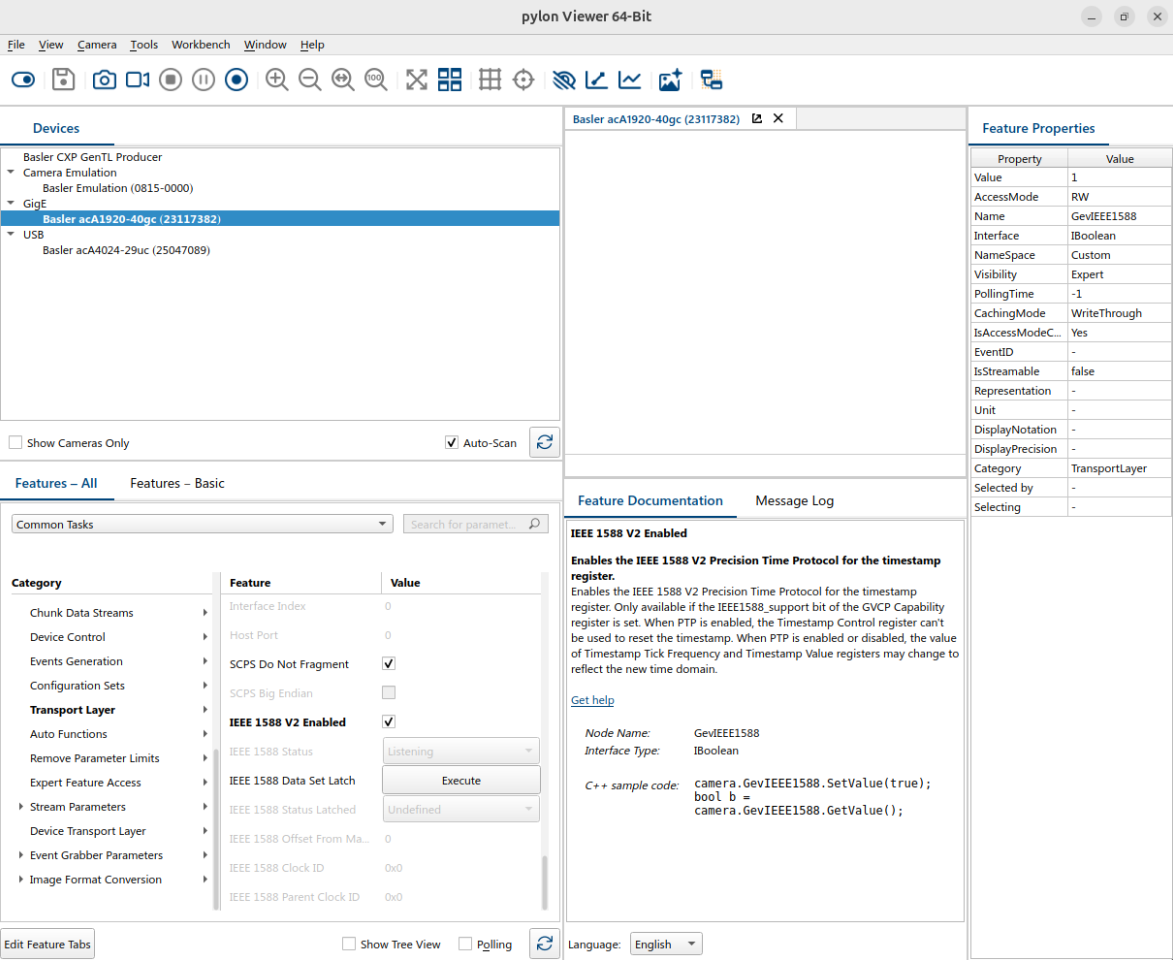
Match the switch profile:
Parameter
Value
Profile
1588v2 Default Profile
Clock type
Boundary clock
Delay mechanism
End-to-End
Transport mode
UDP IPv4
Domain number
0
Priority 1 / 2
64 / 128
Verify#
The IEEE 1588 Parent Clock ID in the PTP group must equal the switch’s clock ID (its MAC address).