Vision Component Container#
Preliminary Steps#
Before execution, there are some important steps to follow:
Yolo model retrain
Objects pcd creation
rvc_use_case_binaries package creation
Yolo Model Retrain#
To retrain our yolo v5 model we followed this tutorial.
Then convert the model to openvino:
python3 path/to/export.py --weights <retrainedmodel>.pt --include openvino
If there are troubles with this, follow issue 5533.
PCD Files Creation#
To create our PCD files, for two different setups we went through two different approaches:
PCD File Creation from 3D Printable STL Files#
Note: We created our set of objects with a 3D modeler, 3D printed and then used the mesh files to create the pcd files. The pose_detector requires these pcd files.
We used the tool obj2pcd offered in the libpcd tool pcl_obj2pcd installable with:
sudo apt install pcl-tools
Here the step by step procedure:
Create the stl file to 3D print the object via FreeCAD or similar.
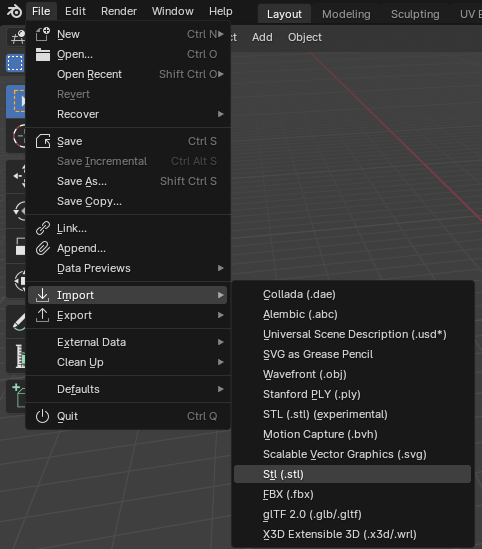
Import the stl file via Blender.
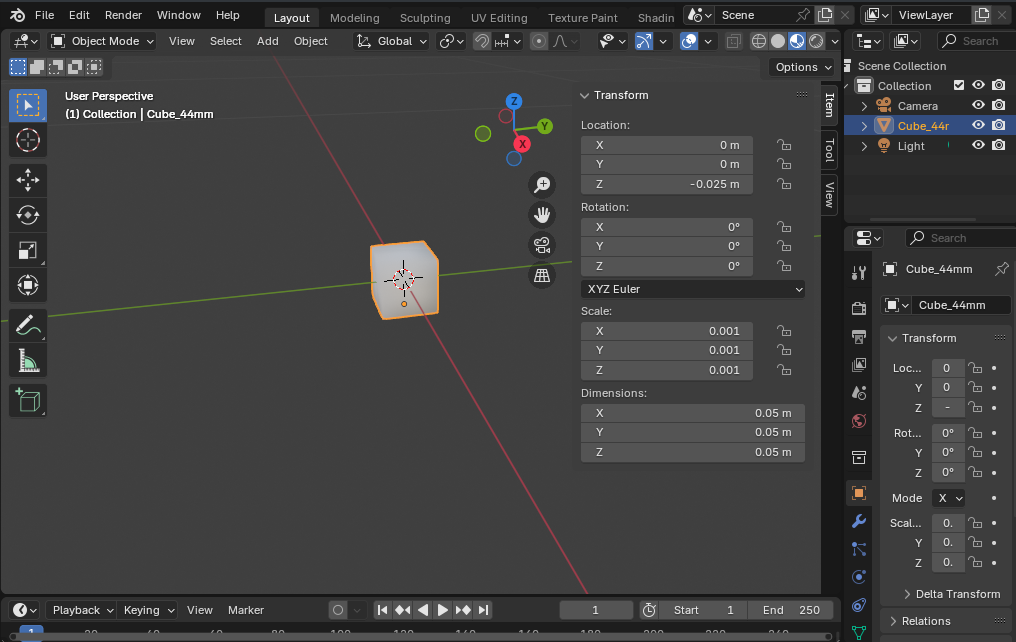
Edit so the metrics matches the RealSense Camera metrics: Units are in meters AND the center of the object is in the origin of blender and parallel to the axes where applicable. In short, perform scaling, rotating and translating operations so that dimension matches the realsense camera and the rototranslation from blender origin matches the desired outcome. For example, looking at the following image, the imported STL has been scaled down so the side of the cube is 5CM (0.05 meters), and translated down the Z axis of 0.025 centimeters, so the center of the cube is at 0,0,0. No rotation was needed as the cube was already parallel to the absolute reference system.
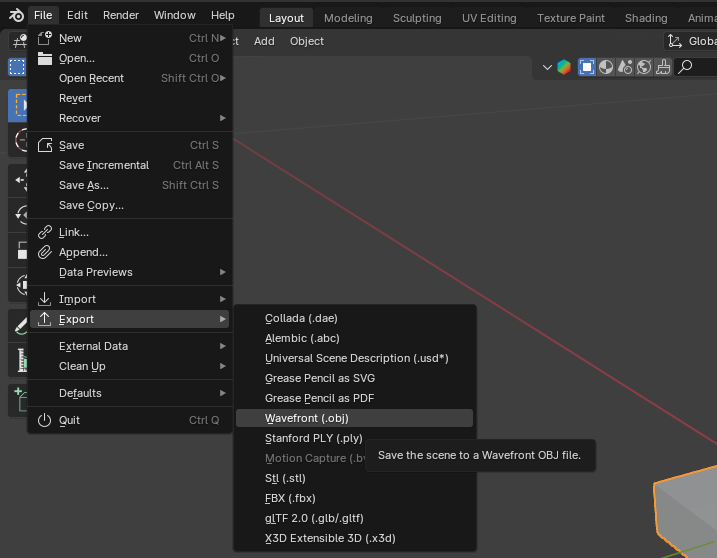
Export the object in WaveFront format (.obj) as shown in picture.
Convert the .obj file to pcd file with
pcl_obj2pcd.
Note: The RVC Pose Detector will align this object PCD file to the input cloud from realsense. This means calculating how much every point of the object pcd is translated and rotated on top of the realsense pointcloud from the original file location. To have a consistent meaning, the object baricenter should be in the origin to simulate the center of the optical camera (where all the optical and depth information are translated to). In this way, the algorithm will determine how far and how rotated the object is from the camera optical lens. If the object is not centered in 0,0,0, this calculation would be wrong. See following picture:
PCD File Creation from Blender Modeler#
We used the Open Source 3D modeler Blender.
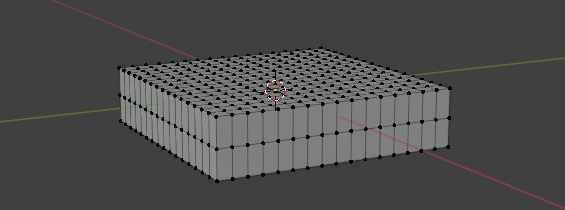
We create the object and then assured there was enough vertices by subdividing the mesh (ctrl R in edit mode), see: Method 2.
Then export the mesh in obj format and converting it with pcl_obj2pcd as exposed above.
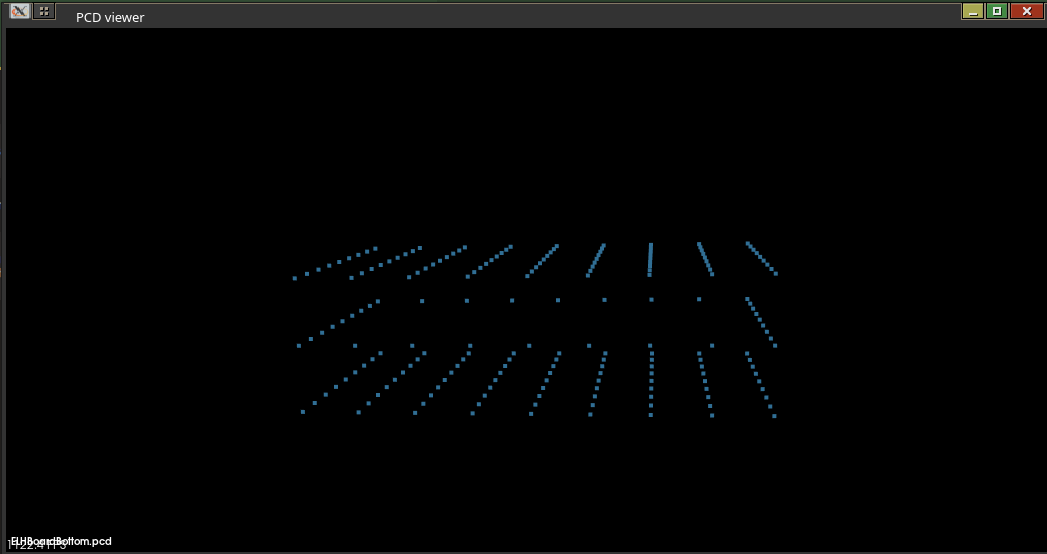
Verify that the PCD file has enough points using the pcl_viewer tool which comes together with pcl_obj2pcd:
pcl_viewer <pcdFilename.pcd>
This is shown in the following image:
rvc_use_case_binaries Package Creation#
Create a ROS2 package named
rvc_use_case_binariesand adapt the files to match your object.pcdfiles:
<?xml version="1.0"?>
<?xml-model href="http://download.ros.org/schema/package_format3.xsd" schematypens="http://www.w3.org/2001/XMLSchema"?>
<package format="3">
<name>rvc_use_case_binaries</name>
<version>2.0.0</version>
<description>Package containing sample PCD objects and AI models</description>
<maintainer email="robotics@intel.com">Intel Robotics Team</maintainer>
<license>Propertary</license>

<buildtool_depend>ament_cmake</buildtool_depend>

<test_depend>ament_lint_auto</test_depend>
<test_depend>ament_lint_common</test_depend>

<export>
    <build_type>ament_cmake</build_type>
</export>
</package>
cmake_minimum_required(VERSION 3.8)
project(rvc_use_case_binaries)

find_package(ament_cmake REQUIRED)

install(FILES
  ai_models/yolo_nano.xml
  ai_models/yolo_nano.bin
  DESTINATION
  share/${PROJECT_NAME}/ai_models
  )

install(FILES
  pcd_objects/obj1.pcd
  pcd_objects/obj2.pcd
  [...]
  DESTINATION
  share/${PROJECT_NAME}/pcd_objects
  )

ament_package()
Create
ai_modelsandpcd_objectsdirectories inside this package.Add yolo models in
ai_modelsand pcd files inpcd_objects.
Note: The models are converted in
<modelname>_openvino_modelin the yolov5 dir.
Edit
parameters.yamlofobject_detectionandpose_detectionto match the names of these files.
Container Execution#
ros2 launch rvc_vision_main vision.composition.launch.py <namespace:=ipc>