Update an Edge Node’s Immutable OS Software#
You can update the edge node’s Intel® Edge Microvisor Toolkit operating system software through Edge Orchestrator, by scheduling an update during a maintenance window. The Maintenance Manager, which is a part of Edge Infrastructure Manager on Edge Orchestrator, will respond with information about the update and schedule, to a corresponding Platform Update Agent on the edge node. The Platform Update Agent will update the edge node.
Edge Microvisor Toolkit - This is an immutable OS where the OS level software is installed on a read-only partition (Partition A) and cannot be manipulated or updated by a package manager. The OS is updated by installing a new Edge Microvisor Toolkit image onto a separate partition (Partition B), and swapping the boot partition from A to B during reboot. The source of the update is a new Edge Microvisor Toolkit image provided in a Release Service.
Update an Edge Node with the Immutable OS#
Updates to the Edge Microvisor Toolkit come in the form of new OS images available in the Release Service. A component called OS Resource Manager periodically queries the Release Service for the latest changes to the Edge Microvisor Toolkit profiles. When the Edge Orchestrator is upgraded or a patched version is available in the Release Service, the OS Resource Manager detects new OS Profiles for the Edge Microvisor Toolkit images that are compatible with the current Edge Orchestrator version. The latest Edge Microvisor Toolkit profile contains information about the latest compatible Edge Microvisor Toolkit image.
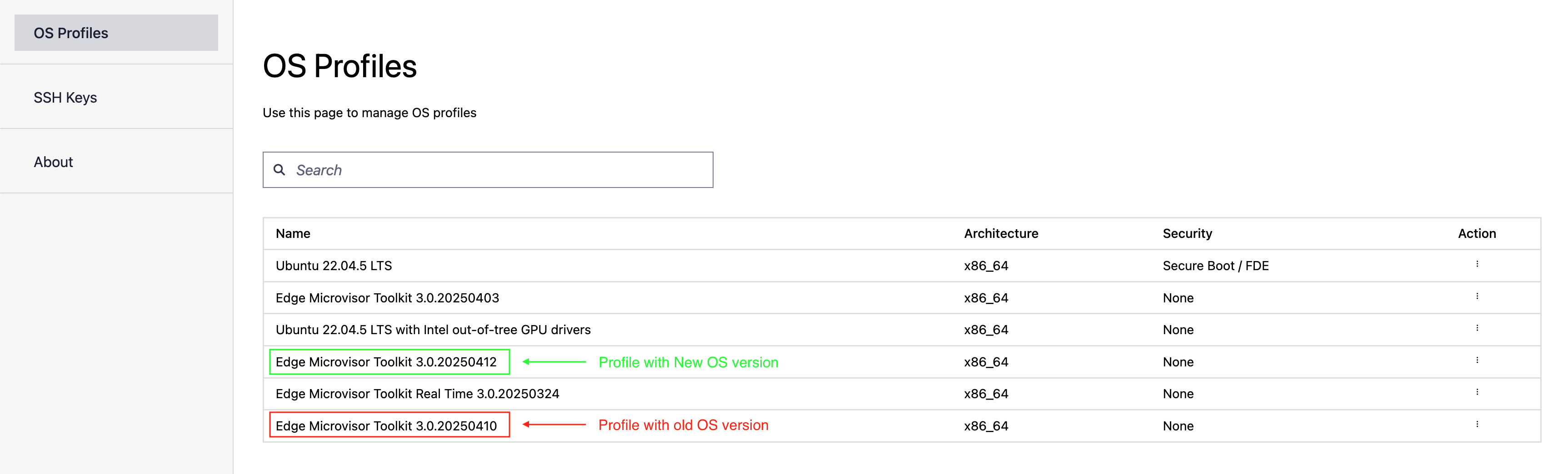
OS Resource Manager Operation#
The OS Resource Manager discovers and fetches OS profiles containing information about the latest Edge Microvisor Toolkit image, creates the corresponding OS Resources, but does not automatically link them to edge node instances. You must manually associate the desired OS Resource with each edge node instance. Only instances that have been manually linked to a specific OS Resource will receive that OS version during a subsequent scheduled update.
OS Resource Linkage#
OS Resource linkage is done by creating an OS Update Policy and associating it with the desired edge node instance. The policy specifies whether to update to a specific target OS version or to the latest compatible version.
For details on creating an OS Update Policy and linking it to an edge node for Edge Microvisor Toolkit updates, see: Apply an OS Update Policy
After linking the OS Update Policy with the desired edge node instance, any scheduled update will attempt to upgrade the Edge Microvisor Toolkit according to the update details provided in the policy. Depending on the chosen policy type ( UPDATE_POLICY_TARGET or UPDATE_POLICY_LATEST) it will upgrade to the specified version or to the latest compatible version.
Display Available Updates on UI#
When a newer image of Edge Microvisor Toolkit is detected, the UI will indicate that an update for an edge node is available. The indication will be available in the Active Hosts view and as part of the individual edge node’s view:

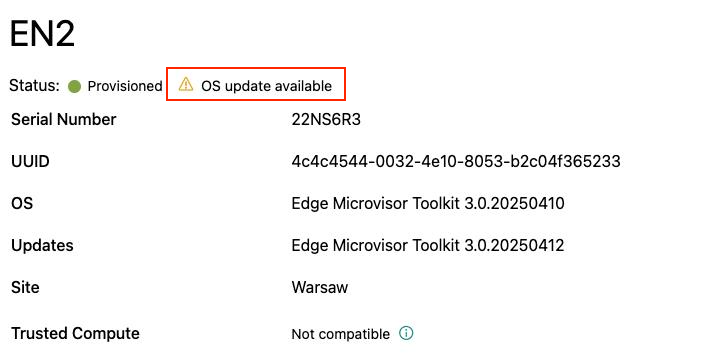
Scheduling OS update#
To schedule an update of the edge node’s Edge Microvisor Toolkit, follow the steps for OS Update maintenance type described in the Schedule Maintenance for Configured and Active Hosts section. Upon a successful scheduling of an update, the Platform Update Agent on the edge node will run the update at the selected time and date. The Platform Update Agent will respond with an appropriate status on a successful update, to the Maintenance Manager. In case of an update failure, the Platform Update Agent will return a relevant failure status and/or attempt a rollback to the Edge Microvisor Toolkit version installed prior to the update attempt.
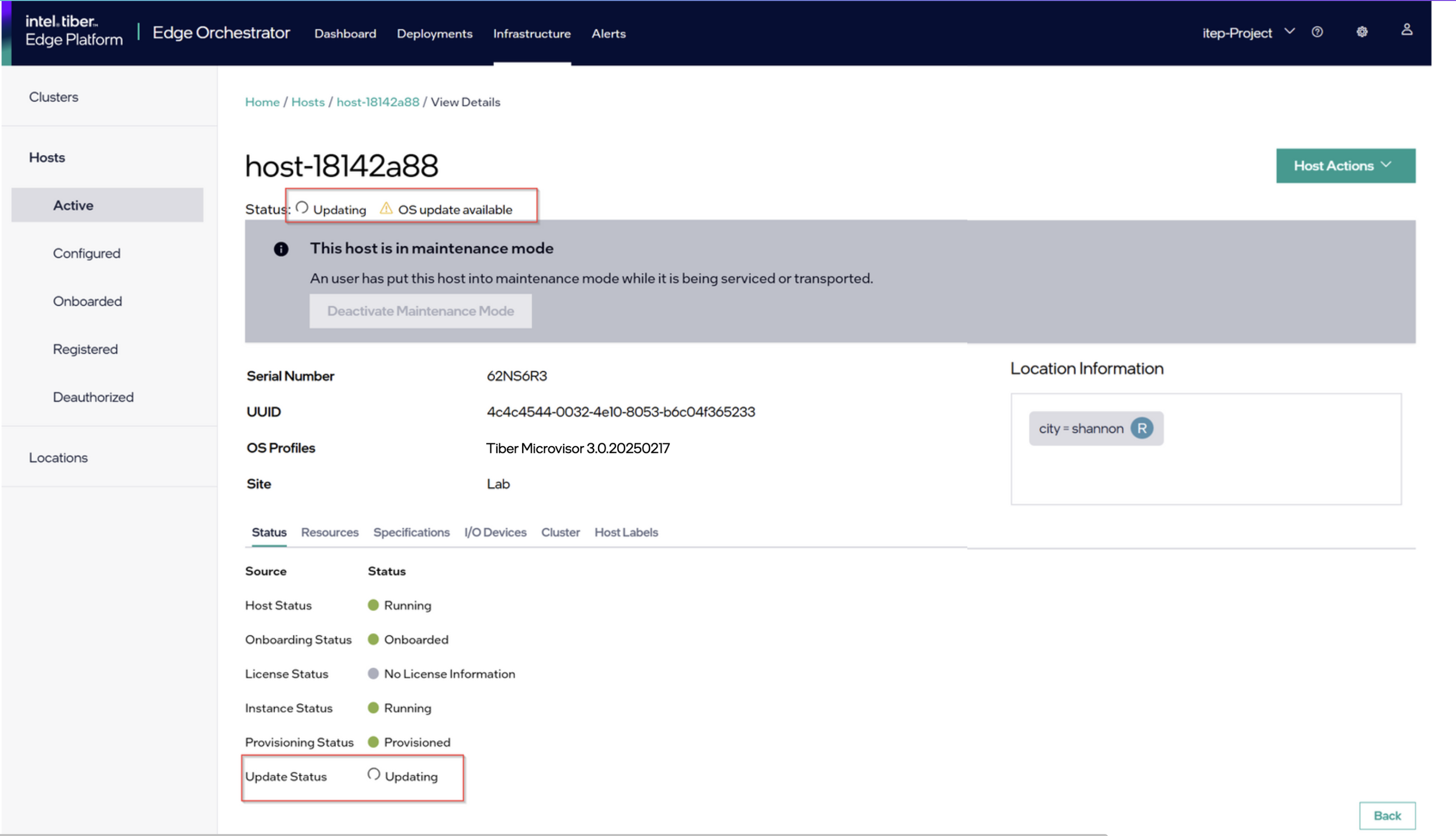
Successful OS Update#
Upon successful completion of the update, the relevant Edge Microvisor Toolkit version information will be displayed in the UI for the updated host. The notification related to new updates available will disappear until a newer version of Edge Microvisor Toolkit is available, and the node will be back in the running state.
Update Considerations#
Updating an OS will reboot the edge node.