Getting Started Guide - OEP Gen AI SDK#
Overview#
The OEP Gen AI SDK provides a comprehensive development environment for generative AI applications using Intel’s optimized tools and microservices. This guide demonstrates the installation process and provides a practical question-answering implementation using retrieval-augmented generation (RAG) capabilities.
Learning Objectives#
Upon completion of this guide, you will be able to:
Install and configure the OEP Gen AI SDK
Deploy generative AI microservices for document processing and question-answering
Understand the architecture of RAG-based applications using Intel’s AI frameworks
System Requirements#
Verify that your development environment meets the following specifications:
Operating System: Ubuntu 24.04 LTS or Ubuntu 22.04 LTS
Memory: Minimum 64GB RAM (recommended for LLM operations)
Storage: 100GB available disk space for models and data
Network: Active internet connection for package downloads
Installation Process#
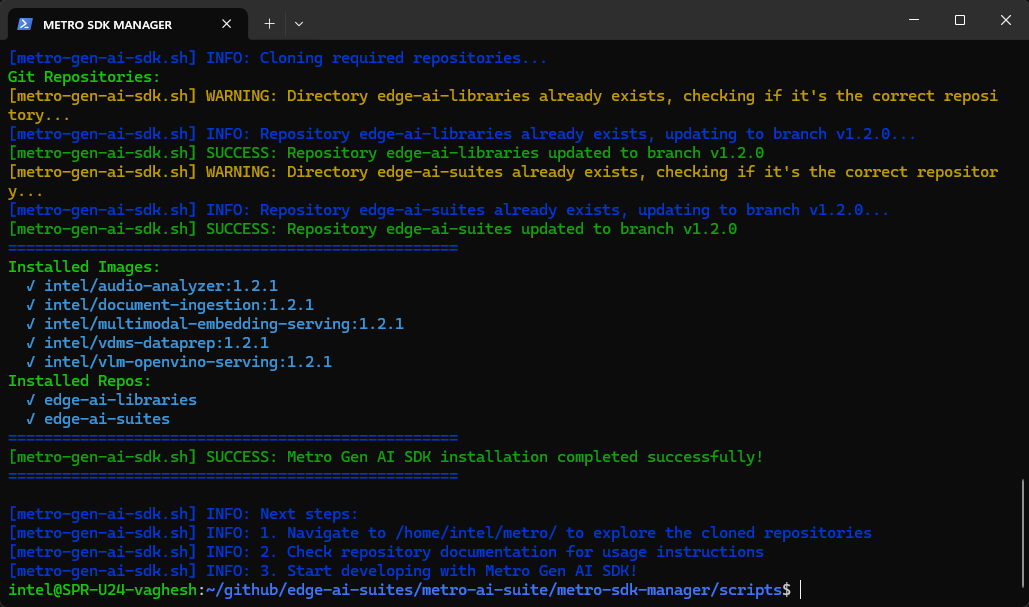
Execute the automated installation script to configure the complete development environment:
curl https://raw.githubusercontent.com/open-edge-platform/edge-ai-suites/refs/heads/release-2026.2.0/metro-ai-suite/metro-sdk-manager/scripts/oep-gen-ai-sdk.sh | bash
Question-Answering Application Implementation#
This section demonstrates a complete RAG (Retrieval-Augmented Generation) application workflow using the installed Gen AI components.
Step 1: Configure Environment and Dependencies#
Set up the Python virtual environment and install required dependencies:
cd $HOME/oep/edge-ai-libraries/sample-applications/chat-question-and-answer-core
# Configure application environment variables
export HUGGINGFACEHUB_API_TOKEN=<your-huggingface-token>
export REGISTRY="intel/"
export UI_TAG=core_2026.2.0
export BACKEND_TAG=core_2026.2.0
source scripts/setup_env.sh
Step 2: Deploy the Application#
Start the complete Gen AI application stack using Docker Compose:
docker compose -f docker/compose.yaml up
Step 3: Access the Application Interface#
Open a web browser and navigate to the application dashboard:
http://localhost:8102
Additional Resources#
Technical Documentation#
Chat Q&A Core - Lightweight, single-container conversational Q&A (RAG) application
Audio Analyzer - Comprehensive documentation for multimodal audio processing capabilities
Document Ingestion - pgvector - Vector database integration and document processing workflows
Multimodal Embedding Serving - Embedding generation service architecture and API documentation
Multimodal Data Preparation - Multimodal data ingestion and preparation workflows for retrieval
Edge AI Libraries - Complete development toolkit documentation and microservice API references
Edge AI Suites - Comprehensive application suite documentation with Gen AI implementation examples
Support Channels#
GitHub Issues - Technical issue tracking and community support for Gen AI applications