Enable MLOps#
Applications for industrial edge insights vision can also be used to demonstrate MLOps workflow using Model Download microservice. With this feature, during runtime, you can download a new model using the microservice and restart the pipeline with the new model.
To simplify this demonstration, we assume that models have already been downloaded to an accessible location (
/tmp/models) using the Model Download from a running Geti server before restarting the pipeline.
Contents#
Pre-requisites#
We assume that Model Download service has already downloaded the model to be updated to /tmp/models.
To learn how to setup Model Download, see here
If not available, you can simulate this by downloading the sample model from edge-ai-resources repository here. Once downloaded, extract to /tmp/models directory.
Steps#
Note: If you’re running multiple instances of app, ensure to provide
NGINX_HTTPS_PORTnumber in the url for the app instance i.e. replace<HOST_IP>with<HOST_IP>:<NGINX_HTTPS_PORT>. If you’re running a single instance and using anNGINX_HTTPS_PORTother than the default 443, replace<HOST_IP>with<HOST_IP>:<NGINX_HTTPS_PORT>.
Set up the sample application to start a pipeline. A pipeline named
pallet_defect_detection_mlopsis already provided in thepipeline-server-config.jsonfor this demonstration with the pallet defect detection sample app.Ensure that the pipeline inference element such as gvadetect/gvaclassify/gvainference should not have a
model-instance-idproperty set. If set, this would not allow the new model to be run with the same value provided in themodel-instance-id.Navigate to the
[WORKDIR]/edge-ai-suites/manufacturing-ai-suite/industrial-edge-insights-visiondirectory and set up the app.cp .env_pallet-defect-detection .env
Update the following variables in
.envfile.HOST_IP= # <IP Adress of the host machine> MINIO_ACCESS_KEY= # MinIO service & client access key e.g. intel1234 MINIO_SECRET_KEY= # MinIO service & client secret key e.g. intel1234 MTX_WEBRTCICESERVERS2_0_USERNAME= # Webrtc-mediamtx username. e.g intel1234 MTX_WEBRTCICESERVERS2_0_PASSWORD= # Webrtc-mediamtx password. e.g intel1234
Run the setup script using the following command.
./setup.sh
Bring up the containers
docker compose up -d
Check to see if the pipeline is present among the list of loaded pipelines which in our case is
pallet_defect_detection_mlops../sample_list.sh
Modify the payload in
apps/pallet-defect-detection/payload.jsonto launch an instance for the mlops pipeline.[ { "pipeline": "pallet_defect_detection_mlops", "payload": { "source": { "uri": "file:///home/pipeline-server/resources/videos/warehouse.avi", "type": "uri" }, "destination": { "frame": { "type": "webrtc", "peer-id": "pdd" } }, "parameters": { "detection-properties": { "model": "/home/pipeline-server/resources/models/pallet-defect-detection/deployment/Detection/model/model.xml", "device": "CPU" } } } } ]
Start the pipeline with the above payload.
./sample_start.sh -p pallet_defect_detection_mlops
Note the instance-id of the pipeline launched.
Verify the pipeline is running. You can View the WebRTC streaming on
https://<HOST_IP>/mediamtx/<peer-str-id>by replacing<peer-str-id>with the value used in the original cURL command to start the pipeline.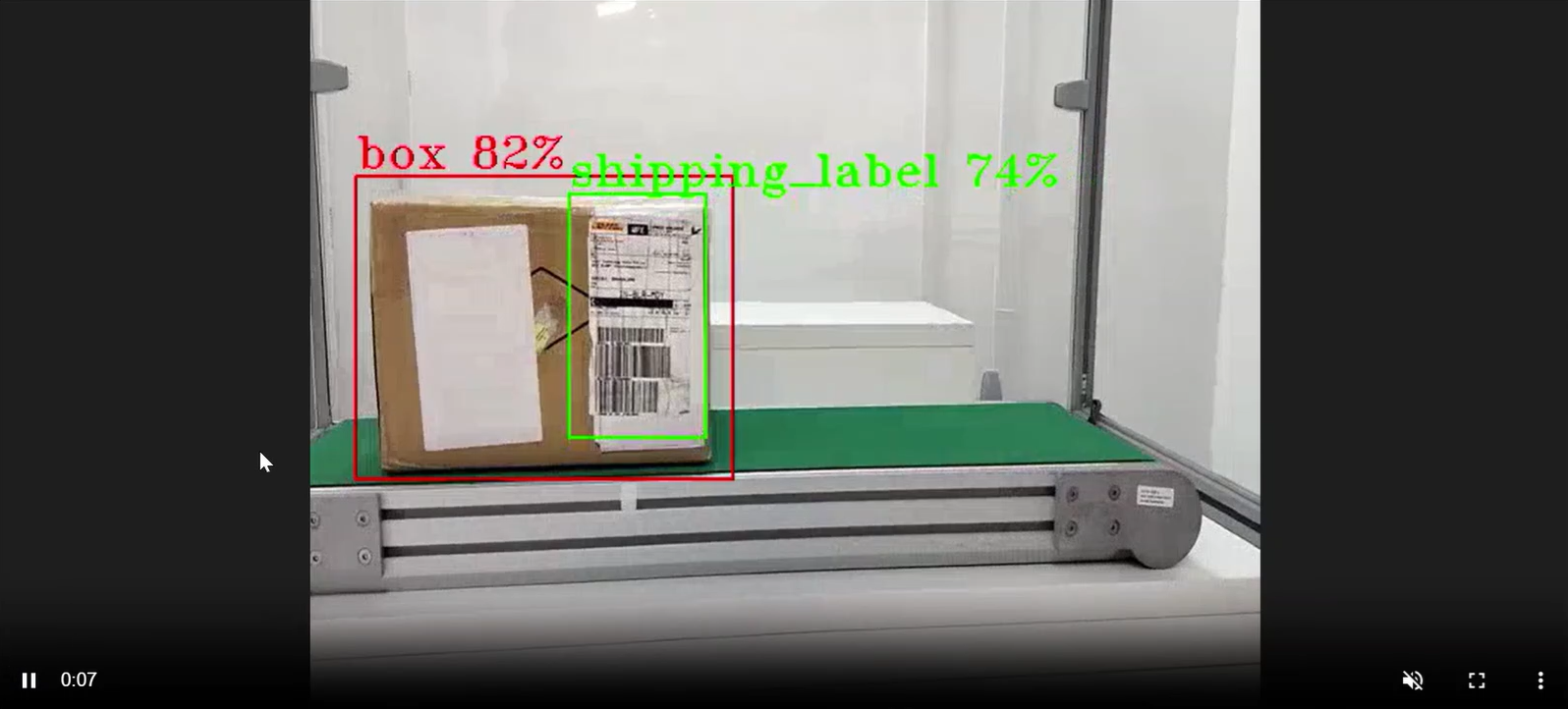
Downloading model with Model Download
At this point, user would like to restart the pipeline with a newer model. The new model can be a retrained version of the existing model or a different model altogether. We use the Model Download microservice to help download the model. It supports downloading public models as well as Geti models from a running Geti server. To learn more about the microservice, see how to get started with it.
For our demonstration, we will assume the pallet defect detection model has been retrained and is available for downloaded from a Geti server using the Model Download service. Also, the downloaded location is accessible by the dlstreamer pipeline server. In our example, it is
/tmp/models. The/tmpdir is already accessible by the sample application. If not, please add it to thevolumessection of `dlstreamer-pipeline-server service in docker-compose file.Stop the running pipeline by using the pipeline instance “id”.
curl -k --location -X DELETE https://<HOST_IP>/api/pipelines/{instance_id}
Start a new pipeline with this new model. Before that modify the payload.json to use this new model in
apps/pallet-defect-detection/payload.json. Notice the model path in the payload has changed to the new model.[ { "pipeline": "pallet_defect_detection_mlops", "payload": { "source": { "uri": "file:///home/pipeline-server/resources/videos/warehouse.avi", "type": "uri" }, "destination": { "frame": { "type": "webrtc", "peer-id": "pdd" } }, "parameters": { "detection-properties": { "model": "/tmp/models/pallet-defect-detection/deployment/Detection/model/model.xml", "device": "CPU" } } } } ]
Run the following.
./sample_start.sh -p pallet_defect_detection_mlops
View the WebRTC streaming on
https://<HOST_IP>/mediamtx/<peer-str-id>by replacing<peer-str-id>with the value used in the original cURL command to start the pipeline.
Additional resources#
Downloading models from Geti Server#
To learn how to download models from a running Geti server, see here
Note: The downloaded model(s) must be accessible to the DL Streamer Pipeline Server container. If not, please add it to volumes section of dltreamer-pipeline-server in compose file, and restart the DLSPS service.